The Best DevOps Automation Tools for 2026 Engineering Teams
Discover the best DevOps automation tools for 2026 that streamline CI/CD, enhance infrastructure, and boost your team's efficiency.

The fastest automation wins come from prioritizing CI/CD pipeline automation first, then layering in infrastructure as code (IaC) and container orchestration, before you touch observability or security tooling. We've watched teams spend significant time automating a low-frequency manual task while their build pipeline still breaks regularly. That ordering isn't a preference. It's a leverage calculation: CI/CD touches every single code change, which makes it the highest-value place to remove human toil first.
Once CI/CD is solid, add IaC and orchestration to stabilize environments, then observability so you can see what's actually happening, then security automation scoped to your highest-risk gates. Teams with recurring, cross-system workflows (the ones that ping five tools and three humans every time a deploy fails) are exactly the case where AI-native orchestration platforms like agent-swarm.dev earn their place, because persistent agent memory means the fix doesn't get re-derived from scratch every incident.
Here's how to start without wasting a sprint on the wrong pilot:
- Pick one CI/CD pipeline with high change frequency and a known failure cost, not your most complex one.
- Define two or three metrics before you write any automation code (build time, mean time to recovery, failed-deploy rate).
- Set a hard safety rule up front: human-in-loop approval on any auto-committed fix, plus an explicit allowed-tools list for any agent touching your pipeline.
Automation guidance from BMC is blunt about why CI/CD comes first: faster release cycles, fewer manual configuration errors, and better cross-team collaboration all trace back to automating the pipeline that every change has to pass through.
Key Takeaways
The most reliable path to DevOps automation ROI is prioritizing CI/CD pipeline automation first, then IaC and orchestration, while keeping human review on any AI-native remediation step.
| Point | Details |
|---|---|
| CI/CD comes first | It touches every code change, making it the highest-leverage category to automate before others. |
| Measure before automating | Score pilots on frequency, failure cost, and measurability, not on how exciting the tool looks. |
| Constrain agentic automation | Use allowed-tools lists and human-in-loop review, the pattern behind both the Elastic Labs and ForgeAI pilots. |
| Design for cross-system workflows | Recurring, multi-tool workflows with context loss are where agent-swarm.dev's persistent memory model fits best. |
| Plan for scale early | Split IaC state and template configs before team growth forces a painful migration. |
Table of Contents
- What Are the Best DevOps Automation Tools by Category?
- Why Automate CI/CD Pipelines First?
- How Do You Connect Automation Categories Into One Pipeline?
- When Is agent-swarm.dev the Right Fit for Your Pipeline?
- Key Features to Look for in Each Automation Category
- How Do Top DevOps Tools Compare Across Categories?
- What Are the Common Pitfalls When Adopting DevOps Automation?
- How Do You Plan for Scalability as Teams Grow?
- What Security Practices Matter Most for Automation Tools?
- What Do Real DevOps Automation Adoptions Look Like?
- What This Playbook Gets Right (and Where It Doesn't Go Far Enough)
- Get Agentic Orchestration Without Losing Human Control
- Sources
- FAQ
What Are the Best DevOps Automation Tools by Category?
Every automation category solves a distinct bottleneck, and conflating them is how teams end up automating the wrong problem. Here's the breakdown, category by category, with the ownership model and integration points that matter when you're evaluating the best DevOps automation tools for your stack.
1. CI/CD pipeline automation. This is the backbone: build, test, and deploy triggered automatically on every commit. The payoff is speed and consistency, not just convenience. CI/CD tools integrate with your version control system (VCS), artifact repositories, and test runners, and they're usually owned jointly by platform engineering and whichever team ships the most frequently. Get this wrong and every other automation category inherits the instability.
2. Infrastructure as code. IaC tools turn server and network configuration into version-controlled, reviewable text instead of tribal knowledge locked in someone's terminal history. They integrate directly with cloud provider APIs and rely on a state backend to track what's actually deployed versus what's declared. The primary payoff is reproducibility: an environment torn down and rebuilt from code should look identical every time.
3. Container orchestration. Once you're running more than a handful of containers, orchestration platforms handle scheduling, scaling, and failover automatically. They sit downstream of your CI/CD pipeline (which builds the images) and upstream of your observability stack (which watches what the orchestrator is doing). The payoff is resilience: a crashed container gets rescheduled without a human getting paged at 2 a.m.
4. Configuration management. Distinct from IaC, configuration management tools keep the software running inside your infrastructure consistent. Think package versions, service configs, and security patches applied uniformly across a fleet. Ownership typically sits with platform or SRE teams, and the integration point is usually a central inventory or fleet management system.
5. Testing and QA automation. Automated test suites, triggered by CI, catch regressions before a human ever looks at a pull request. The payoff compounds over time. Every hour spent writing a good test suite pays back on every future change, which is why teams that skip this step often find their CI/CD automation just moves the bottleneck downstream to manual QA.
6. Observability and monitoring. Metrics, logs, and traces flow into a central system that surfaces anomalies before customers notice them. Observability integrates with almost every other category. It's the feedback loop that tells you whether your CI/CD, IaC, and orchestration automation are actually working as intended. Centralizing this data, as platforms like Cortex describe, also makes it possible to prioritize which parts of the pipeline need automation attention next.
7. Security automation. Static analysis, dependency scanning, and policy enforcement embedded directly into the pipeline rather than bolted on before release. The payoff is catching vulnerabilities when they're cheap to fix, not after they've shipped.
8. Workflow orchestration. This is the connective tissue: automating the cross-system, multi-step processes that span ticketing, chat, deployment, and approval systems. It's also where AI-native automation is showing the most interesting movement right now.
A concrete example: ForgeAI-style pipeline intelligence plugins embed specialized analyzers directly into CI pipelines, running code review, vulnerability scanning, architecture drift detection, and test gap analysis in parallel, then producing a composite release-readiness verdict a human reviews before merge. That's meaningfully different from a single linter check. It's several dimensions of signal converging on one decision point.
Self-healing pipelines follow a similar logic. Elastic Labs ran a pilot where a coding agent (Claude Code) attempted targeted fixes on failing Gradle subtasks inside a CI step, auto-committing the fix once verified and restarting the pipeline. It worked often enough, under tight constraints, to be worth watching. It's not a replacement for engineers reviewing pull requests.
Pro Tip: Don't automate a category in isolation. A CI/CD pipeline that can't talk to your observability stack just moves the "what broke and why" question to a human, later, with less context. Design integration points before you pick tools.
Why Automate CI/CD Pipelines First?
CI/CD is the category with the highest leverage because it's the one thing every single code change has to pass through, which means any friction there gets multiplied across your entire engineering organization. A manual deployment step that takes 20 minutes doesn't cost you 20 minutes. It costs you 20 minutes times every deploy, times every engineer waiting on that deploy, times the context-switch cost of babysitting a process that should run itself. BMC's automation guidance frames this plainly: automating high-frequency, high-cost tasks is where the effort-to-benefit ratio actually justifies the engineering time.
That same logic cuts the other way, too. Automating a task your team does twice a quarter is a fun weekend project, not a pilot. The BMC guidance is direct on this point: automation is a facilitator for efficiency, not a blanket solution, and teams that chase automation for its own sake end up with brittle scripts nobody trusts.
So how do you pick the right pilot? Score candidate workflows against these criteria before committing engineering time:
- Frequency. How often does this task run? Weekly beats monthly, daily beats weekly.
- Failure cost. What breaks, and who gets paged, when this task fails or gets skipped?
- Repeatability. Is the task's logic consistent, or does it require judgment calls that vary case to case?
- Observability readiness. Can you already measure the current state, or do you need to instrument first?
- Measurability. Will you be able to prove the automation worked, with a number, not a feeling?
A pilot checklist that actually gets used has four things written down before day one: a named goal (in a metric, not a vibe), an owner accountable for the outcome, a timeline with a review date, and a success threshold you agreed on before seeing the results, so nobody's tempted to move the goalposts afterward.
Here's how that maps to expected outcomes across common pilot types:
| Pilot Type | Primary Metric | Typical Target Shift |
|---|---|---|
| Build and test automation | Build time / test cycle time | Fewer manual retriggers, tighter feedback loop |
| Deployment automation | Deployment frequency | More deploys per week with stable failure rate |
| Failing-build auto-remediation | Mean time to recovery (MTTR) | Fewer human interventions per broken build |
| Config drift detection (IaC) | Drift incidents caught pre-production | Drift caught before it reaches staging or prod |
Notice that "reduce errors" isn't listed as a standalone metric. It's implicit in deployment frequency and MTTR: if your failure rate climbs while deploy frequency rises, the automation isn't done yet. Measure both together, or you'll get a misleading win.
One more thing worth saying plainly: pilot scope should be small enough to fail safely. If your first automation pilot touches production traffic with no rollback path, you've designed a pilot that can't actually teach you anything except how much you regret it.
How Do You Connect Automation Categories Into One Pipeline?
The reference architecture that shows up again and again, across teams that get this right, follows one event flow: VCS → CI/CD → IaC → runtime → observability → remediation, with a feedback loop running back to CI/CD so remediation actions can trigger a fresh test cycle rather than a silent, unverified patch.

A commit lands in version control. CI/CD picks it up, builds it, runs tests, and (if it passes) triggers IaC to provision or update infrastructure. The workload lands in your orchestration layer. Observability watches it in production. When something goes wrong, a remediation step, whether that's a human, a runbook, or an agent, gets triggered, and ideally that fix routes back through CI/CD rather than being applied directly to a running system with no audit trail.
Three patterns make this incremental instead of a rip-and-replace project:
- Adapter pattern. Wrap each tool's API behind a thin internal interface so swapping a CI provider or orchestrator later doesn't mean rewriting every integration point.
- Event-driven automation. Trigger the next step off an event (build passed, deploy completed, alert fired) rather than a fixed schedule, so the pipeline reacts to reality instead of a clock.
- Reversible changes with safety gates. Every automated action, especially anything an AI agent initiates, needs a human-in-loop checkpoint and an explicit allowed-tools list. Elastic Labs' pilot and the ForgeAI plugin approach both build this in: agent actions get logged, constrained, and reviewed rather than trusted blindly. That constraint is what makes agentic automation trustworthy fast instead of trusted slowly after a painful incident.
Coordinating promotions across environments (dev to staging to production) works best when artifact signing and policy gates are enforced at the pipeline level, not left to each engineer's discretion. Sign your build artifacts once, verify the signature at each promotion step, and gate production deploys behind a policy check that's automated, not a Slack message asking "does this look okay to ship?"
On rollout cadence: test automation changes in staging using the same event flow you'll use in production, not a simplified version. If your rollback strategy for a failed automated deploy is "someone remembers what the last good state was," you don't have a rollback strategy. Automate the rollback itself, or you've just moved the manual toil from deploying to un-deploying.
Pro Tip: Treat your automation pipeline's own configuration as code, under version control, reviewed like any other change. The pipeline that automates your deploys is itself a production system, and it deserves the same rigor you'd apply to the thing it's deploying.
Teams looking to route notifications and approvals through existing communication tools often lean on ChatOps patterns, where runbooks and automated actions get triggered from a chat interface. That approach, as Mattermost's guidance points out, lowers the barrier for non-engineers to safely trigger or approve automated actions without learning a new tool.
When Is agent-swarm.dev the Right Fit for Your Pipeline?
Most DevOps automation categories solve a well-scoped, single-system problem: build this, provision that, scan this repo. The gap opens up when your automation needs to span systems, retain context across steps, and handle multi-step operations that don't fit neatly into a single tool's workflow. That's the specific niche agent-swarm.dev is built for.
agent-swarm.dev runs a lead agent that breaks a larger objective into discrete tasks and assigns them to specialized workers (built on Claude Code, Codex, OpenCode, and similar coding agents), each running inside an isolated container. The part that matters for recurring workflows is persistent shared memory: context compounds across runs instead of resetting to zero every time a workflow fires. Integrations span Slack, GitHub, Linear, Turso, OpenAI, and hundreds of other platforms, and teams can run it self-hosted or as a managed cloud deployment.
Where this earns its place over a narrower CI/CD or workflow tool:
- Cross-system recurring workflows that currently require a human to manually relay context between a CI failure, a Linear ticket, and a Slack thread.
- Pipeline self-healing scenarios where a failing build needs an agent to diagnose, attempt a fix, and re-trigger, with memory of how similar failures were resolved before.
- Multi-step operations where losing context between steps (which a stateless script would do) causes rework or errors.
Our own engineering write-ups dig into exactly the operational edge cases that matter before you trust agentic automation with your pipeline. One deep dive on agent failure taxonomy breaks down which failures are actually logic bugs versus infrastructure noise, and a separate postmortem on state leakage documents how "stateless" workers ended up leaking state through the git working tree, the kind of thing you only learn by running these systems in production.
The difference between an agent that helps and an agent that creates more cleanup work is almost never the underlying model. It's whether the memory, container isolation, and allowed-tools list were designed for the failure modes that actually show up in production pipelines, not the ones that look good in a demo.
Before adopting this kind of orchestration, confirm two preconditions: your CI/CD pipeline is already mature enough to trust with automated triggers, and you have a genuinely repeatable cross-system task, not a one-off. Scope your first pilot narrowly, keep human-in-loop approval on anything that commits code or touches production, and compare the operational model against alternatives like a single rented contractor. The Devin comparison walks through that trade-off directly: one rented engineer versus an owned, standing team of agents. For teams weighing a single-agent tool against a full orchestration layer, the CrewAI comparison covers when each model actually fits.
Key Features to Look for in Each Automation Category
The best DevOps automation tools share a few traits regardless of category, and knowing which features to prioritize saves you from evaluating twenty tools on the wrong axis.
For CI/CD, look for parallel test execution, native VCS webhook support, and artifact caching that actually reduces build time (not just claims to). For IaC, prioritize state locking (to prevent concurrent apply collisions) and a plan/apply separation that lets you review changes before they hit infrastructure. For container orchestration, check for built-in health checks and automated rollback on failed deploys, not just scaling.
Configuration management tools should support idempotent runs (applying the same config twice produces the same result, not a second change). Testing and QA tooling needs to integrate with your CI trigger, not run as a separate manual step someone remembers to kick off. Observability platforms are worth their cost only if they support alerting thresholds tuned to your actual traffic patterns, not generic defaults that page you at 3 a.m. for nothing.
For security automation, dependency scanning that runs on every pull request beats a quarterly audit every time. And for workflow orchestration tools, in particular agentic ones, the feature that separates a trustworthy product from a liability is an explicit allowed-tools list and full action logging, the same safety pattern Elastic Labs and ForgeAI both built in from the start.
How Do Top DevOps Tools Compare Across Categories?
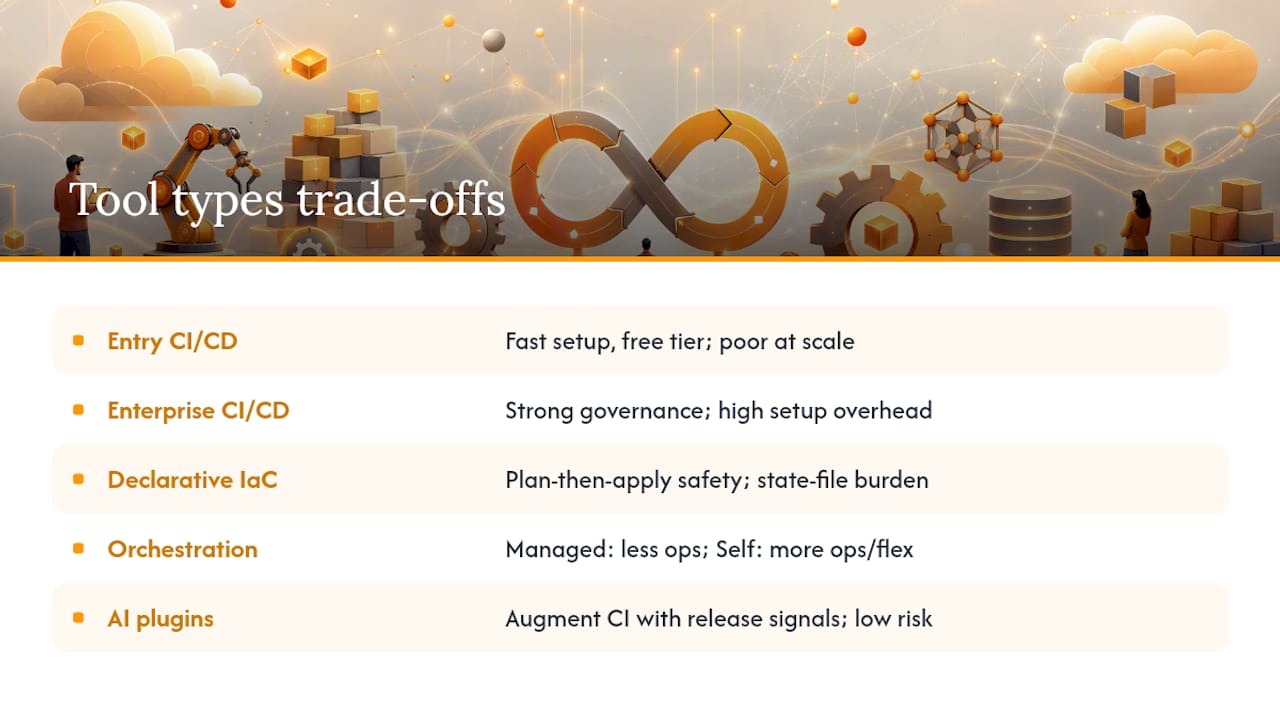
Rather than naming a single winner per category (the "best" tool depends heavily on your cloud provider, team size, and existing stack), it's more useful to compare tool types by their trade-offs.
Entry-level CI/CD platforms offer fast setup and generous free tiers, which makes them attractive for smaller teams. The tradeoff: they often hit friction on complex multi-stage pipelines or self-hosted runner requirements at scale.
Enterprise CI/CD platforms handle complex governance and audit requirements well, but the setup and configuration overhead is real. Teams that adopt one before they need that governance often spend more time configuring the tool than shipping code.
Declarative IaC tools (state-based, plan-then-apply) give you a clear preview of infrastructure changes before they happen, which is a meaningful safety win. The tradeoff: state file management becomes its own operational burden as your infrastructure grows.
Managed container orchestration removes most of the operational burden of running the control plane yourself, at the cost of less flexibility over lower-level cluster configuration. Self-managed orchestration gives you that flexibility back, along with the operational responsibility that comes with it.
AI-native pipeline intelligence plugins, like the ForgeAI pattern, add composite release-readiness signals on top of existing CI tools rather than replacing them, which makes them lower-risk to pilot since they augment a human decision rather than automating it away entirely.
What Are the Common Pitfalls When Adopting DevOps Automation?
The single most common mistake is automating a task before measuring its actual frequency and cost. Teams get excited about a shiny new tool, automate something that runs twice a year, and then wonder why the "efficiency win" never showed up in any metric that mattered. Score your candidates against frequency and failure cost first, always.
The second pitfall is skipping the observability layer before automating remediation. If you can't measure what "broken" looks like with data, an automated fix is just as likely to mask a problem as solve it. Get your monitoring signal trustworthy before you let anything, human or agent, act on it automatically.
Third: treating automation as a one-time project instead of an owned system. Scripts rot. APIs change. A pipeline automation with no assigned owner degrades quietly until it breaks loudly, usually at the worst possible time. Every automated workflow needs a named owner, the same way a service does.
Fourth, and increasingly relevant with agentic tools: giving an automation system too much unsupervised authority too fast. Both the Elastic Labs pilot and ForgeAI's approach succeeded specifically because they constrained agent actions and required human review, not despite it. Skip that constraint and you're trading manual toil for manual cleanup.
How Do You Plan for Scalability as Teams Grow?
Automation that works cleanly for a 10-engineer team can quietly buckle at 50, and the failure points aren't always obvious in advance. The first strain point is usually your CI/CD pipeline's concurrency limits: more engineers means more simultaneous builds, and a pipeline architecture built for sequential runs starts queuing jobs for uncomfortable stretches of time.
The second strain point is state management in IaC. A single Terraform state file that was fine for one small environment becomes a bottleneck (and a collision risk) once multiple teams are provisioning infrastructure concurrently. Splitting state by team or service boundary, before it becomes a blocking issue, is the kind of unglamorous work that saves a painful migration later.
Configuration management and orchestration scale more gracefully if you design for horizontal growth from day one: templated configs instead of one-off scripts, and orchestration policies that apply to a category of workload rather than being hand-tuned per service. Centralized dashboards, the kind Cortex describes, become genuinely necessary once you have enough services that no single engineer can hold the full picture in their head.
For workflow orchestration specifically, agentic systems that retain context across runs scale differently than stateless scripts: growth adds more workflows to coordinate, not more manual context-passing between them, provided the memory and container isolation were designed for that growth pattern from the start.
What Security Practices Matter Most for Automation Tools?
Automation tools that touch your pipeline, infrastructure, or production systems are, by definition, high-value targets, and securing them deserves the same rigor as securing the systems they manage. Start with credential scoping: every automated tool should run with the minimum permissions it needs, not a broad service account that happens to work.
Secrets management deserves particular attention in CI/CD, since build logs are a common (and preventable) place for credentials to leak accidentally. Rotate secrets regularly and never hardcode them into pipeline configuration files, even ones under version control with restricted access.
For any AI-native or agentic automation, the safety pattern that both Elastic Labs and ForgeAI rely on is worth repeating here: explicit allowed-tools lists, human-in-loop approval on anything that commits code or touches infrastructure, and full logging of every action an agent takes. This applies equally whether the agent is fixing a failing build or opening a pull request. Skipping the caveat because a task "seems low-risk" is exactly how a low-risk automation becomes an incident.
Teams evaluating compliance-specific automation, particularly around policy gates and audit trails, may find a compliance automation buying guide useful for scoping what a policy engine actually needs to enforce before you build or buy one.
What Do Real DevOps Automation Adoptions Look Like?
The clearest evidence that AI-native automation is moving past the demo stage comes from Elastic Labs' CI pipeline experiments, where a coding agent was given a narrow, well-defined job: attempt a fix on a failing Gradle subtask, verify it, auto-commit if verified, and restart the pipeline. The pilot's success depended entirely on the constraints around it, not the raw capability of the model. Verification before commit, and a restart step that gave the pipeline a fresh chance to fail safely if the fix was wrong.
The ForgeAI pipeline intelligence plugin tells a similar story from a different angle: instead of one broad AI check, it runs several specialized analyzers, code review, vulnerability scanning, architecture drift, test-gap detection, and combines them into one release-readiness verdict a human still reviews. The success factor there is composite signal quality, not automation replacing judgment.
Both examples point to the same underlying lesson: successful automation adoption in 2026 isn't about handing a system full autonomy. It's about giving it a narrow, well-instrumented job, with a human checkpoint that catches the cases the automation gets wrong.
What This Playbook Gets Right (and Where It Doesn't Go Far Enough)
The conventional advice on DevOps automation treats every category as equally urgent, which is exactly backward. If you take one thing from the research behind this piece, it's that CI/CD's centrality makes it the wrong place to under-invest and the wrong place to over-engineer with speculative AI tooling before the basics work.
Where the industry conversation gets ahead of itself is in treating agentic automation as a replacement for the categories that came before it. It's an augmentation, and a narrow one. The pilots that actually worked, Elastic Labs' auto-fix experiment, ForgeAI's composite analyzers, succeeded because they kept humans in the loop and scoped the agent's authority tightly.
What we'd tell a team starting today: get CI/CD boring and reliable first. Only once that's true does agentic orchestration, the kind that retains context across a recurring, cross-system workflow, become worth the engineering investment. That's a narrower use case than most vendors will admit, and it's precisely the one agent-swarm.dev was built for.
Get Agentic Orchestration Without Losing Human Control
Most teams evaluating the best DevOps automation tools end up choosing between narrow point solutions (a CI/CD tool here, a scanner there) and a single AI "employee" that's supposed to do everything. Both leave a gap: point solutions don't retain context across systems, and single-agent tools don't scale to multi-step, cross-team workflows without losing track of what happened last time.
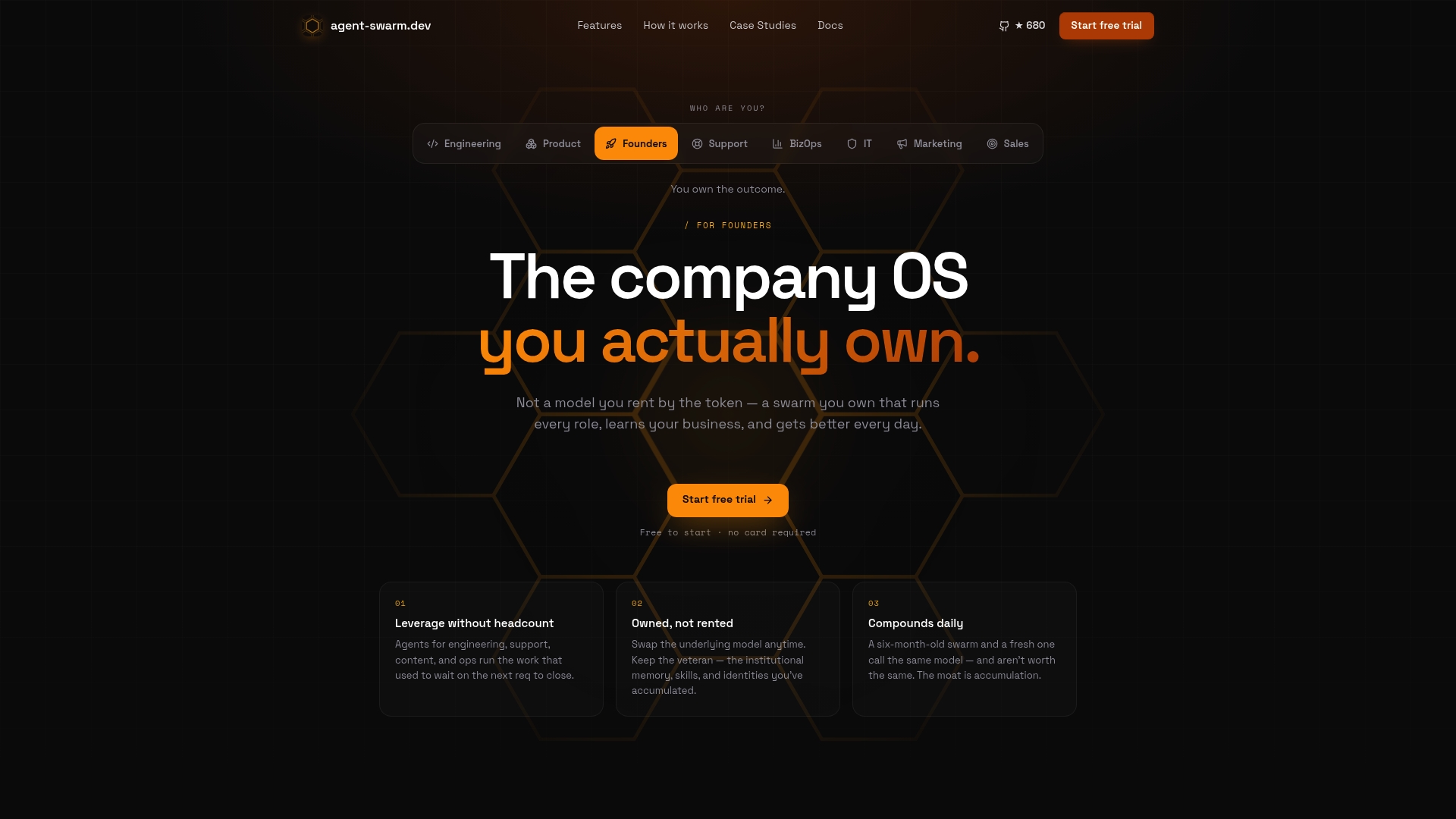
agent-swarm.dev closes that gap with a lead agent that breaks recurring workflows into tasks, assigns them to isolated worker containers, and keeps shared memory persistent across every run, so context compounds instead of resetting. It integrates directly with Slack, GitHub, and Linear, and you can self-host it under an MIT license or run it as managed Cloud billed monthly by worker capacity, with access via the Cloud waitlist. If you're deciding between a single rented agent and a standing team of them, the Hermes comparison walks through exactly that trade-off. Start by reviewing a real agent-swarm session to see how a pilot workflow actually runs before you scope your own.
Sources
For pipeline design and ROI framing, start with BMC's automation guidance. For a working example of AI-assisted pipeline remediation, review Elastic Labs' CI agent experiment. For composite release-readiness signals, see the ForgeAI plugin repository. For real orchestration sessions and pilot scoping, browse Agent-swarm.
- jenkinsci/forgeai-pipeline-intelligence-plugin
- Automation in DevOps: Why and how to automate DevOps practices – BMC Software | Blogs
- CI/CD pipelines with agentic AI: How to create self-correcting monorepos | Elasticsearch Labs
FAQ
What are the best tools for DevOps automation?
The strongest results come from prioritizing a CI/CD platform first, then adding IaC and container orchestration, targeted observability, and security automation scoped to your highest-risk gates. For teams with recurring cross-system workflows, an orchestration layer like agent-swarm.dev adds agentic coordination and persistent memory on top of that foundation.
Is DevOps a dead-end job?
No. DevOps automation shifts engineers away from repetitive manual toil (deployments, config drift, manual test triggers) toward higher-value work like pipeline design, observability strategy, and now supervising AI-native remediation agents, which expands the role rather than eliminating it.
What are some common automation tools used in DevOps?
Common categories include CI/CD platforms, IaC tools with state management, container orchestration systems, configuration management tools, testing and QA automation, observability platforms, and security scanning integrated into pipelines. Pipeline intelligence plugins like ForgeAI are a newer addition, layering composite AI analysis on top of these categories.
What are the top 5 automation tools?
Rather than five specific products (the right choice depends on your cloud provider and stack), the top five categories to automate in order are CI/CD, infrastructure as code, container orchestration, observability, and targeted security automation, with workflow orchestration tools like agent-swarm.dev added once cross-system recurring workflows justify agentic coordination.
When should a team consider agent-swarm.dev over a single AI coding assistant?
When the workflow spans multiple systems (chat, ticketing, CI, deployment) and needs context retained across runs, not just a single code suggestion. The CrewAI comparison and Devin comparison both cover this decision point in more depth.
Recommended
Related field notes
We Deleted --resume: A Bounded Preamble Beats Session Resume
Why Agent Swarm dropped claude --resume and codex.resumeThread for a 2,000-token context preamble that survives container restarts and harness re-routing.
Your Agents Write the Titles Your Trackers Read
An IMDEA audit of 9 AI chat services found trackers receiving titles, permalinks and screenshots, not just prompts. Agent swarms multiply those artifacts.
Best Open-Source AI Agent Platforms: Self-Host
Twelve open-source AI agent platforms you can self-host today, ranked by GitHub stars: license, install path, best use case and one real limitation each.