Start Email Automation Agents in Draft-Only Mode First
Kickstart your email automation agents with a draft-only mode to enhance efficiency, ensuring reliable replies before full automation.

Start with a draft-only pilot that triages and drafts replies. Escalate to autonomous sends only after confidence governance proves reliable. Email automation agents work best on triage, follow-ups, and cross-app workflows like CRM logging or scheduling, not on unsupervised negotiation or legal language.
Your first two moves:
- Pick one high-volume shared inbox and connect it through OAuth (Google Workspace, Microsoft 365) or IMAP/SMTP if the provider lacks a modern API.
- Set a conservative confidence threshold so anything ambiguous routes to a human, not the send button.
Platforms like agent-swarm.dev are already production-ready for this pattern, running the agent as a worker under human-in-the-loop review rather than a black box that fires off replies on its own.
Key Takeaways
Email automation agents succeed when teams start in draft-only mode, enforce a configurable confidence threshold, and keep a complete audit trail before granting autonomous send access.
| Point | Details |
|---|---|
| Start draft-only | Every agent output goes to a review queue until accuracy is proven on that specific inbox. |
| Set confidence thresholds | Route anything below your threshold to a human instead of letting the agent guess. |
| Track four core metrics | Monitor response SLA, operator-hours saved, false-automation rate, and conversion lift. |
| Match compliance to jurisdiction | GDPR consent rules and CAN-SPAM opt-out requirements apply differently depending on recipient location. |
| Consider agent-swarm.dev for orchestration | Its lead-agent and worker model lets one deployment coordinate email triage with Slack, Linear, and CRM actions. |
Table of Contents
- What Email Automation Agents Can (and Can't) Do
- Four Use Cases Worth Piloting First
- How Email Agents Actually Process a Message
- Your Pre-Launch Checklist Before Going Live
- Moving From One Inbox to Full Production
- The Metrics That Actually Prove ROI
- Running a Real Email Workflow on agent-swarm.dev
- Choosing the Right Vendor: What Actually Matters
- Handling GDPR, CAN-SPAM, and Consent for Automated Mail
- Improving Accuracy Without Retraining From Scratch
- What Teams Get Wrong About Agent Rollouts
- How agent-swarm.dev Fits Into Your Rollout
- Sources
- FAQ
What Email Automation Agents Can (and Can't) Do
An assistant reacts. An agent acts. A drafting assistant waits for you to ask it to write something; an agent watches the inbox, decides what matters, and executes a plan, whether that's triaging incoming mail, drafting a reply in your voice, or booking a meeting and logging it to a CRM.
Concrete capabilities that work well today: priority scoring across a shared inbox, drafting first-pass replies for common requests, extracting attachments into structured records, and updating deal stages in Salesforce or HubSpot without a human touching the keyboard.
What agents should not do unsupervised: reply to anything touching pricing negotiation, legal terms, or account access. An agent that misreads "let's revisit the contract terms" as a routine confirmation and auto-sends agreement language creates real liability. Ambiguous intent, tone-sensitive escalations, and anything requiring judgment calls stay behind a human review step until the agent has a long track record on that specific inbox.
Four Use Cases Worth Piloting First
Most teams overthink where to start. Pick one of these, run it for a few weeks, and expand from there.
- Shared inbox triage. Route support@ or sales@ traffic by priority and topic so only the threads that need a human get surfaced, instead of forcing someone to scroll a hundred unread messages every morning.
- Sales follow-ups. Trigger a draft or send when a CRM event fires (a demo no-show, a stalled deal stage, a pricing page visit) rather than relying on a rep to remember.
- Support automation. Auto-respond to known question patterns, escalate anything outside the confidence threshold, and open a ticket automatically instead of losing the thread in someone's personal inbox.
- Document intake. Pull attachments from vendor or invoice emails, extract the relevant fields, and push them straight into storage or a database, cutting out the copy-paste step entirely.
Enterprise deployments that combine triage with cross-system logging cut the manual handoff work that used to eat an hour a day for an operations person.
How Email Agents Actually Process a Message
Under the hood, an agent needs a way into the inbox, a pipeline for turning a raw email into an action, and a way to log what it did.
Access typically comes through OAuth for Google or Microsoft accounts, IMAP/SMTP for legacy or self-hosted mail servers, or an agent-owned inbox model where the agent has its own address and forwards or receives copies. That last pattern, forwarding to a dedicated agent address, lowers setup friction since there's no OAuth consent screen to configure, but it also means less native auditability than a full-account integration, and it's worth treating as a bridge rather than the endpoint for anything enterprise-facing.
The processing pipeline itself runs in stages: ingest the message, classify intent and priority, extract structured data (names, dates, order numbers), plan the next action, draft or send, then log everything. Model choice matters here. Cheaper, faster models can handle classification and routing, while a stronger model gets reserved for drafting or ambiguous cases, a pattern sometimes called a model mesh that balances cost against accuracy on the decisions that actually carry risk.
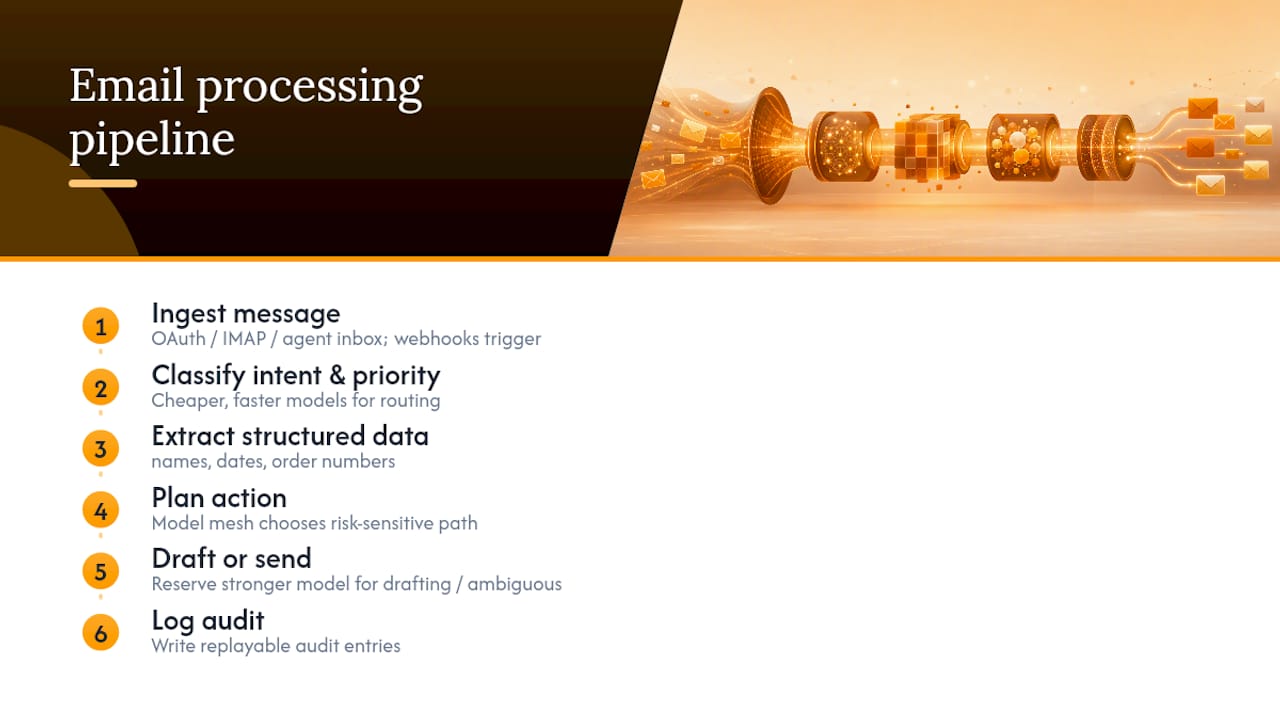
Real-time triggers come from webhooks (a new email arrives, a CRM field changes) rather than polling, and every action, from a classification decision to a sent reply, should write to an audit log you can replay later.
Your Pre-Launch Checklist Before Going Live
Before you flip an agent on for a real inbox, work through this list. Skipping any one of these is how a pilot turns into an incident report.
- Grant least-privilege OAuth scopes. Read access first; write and send access only after the agent has proven itself.
- Start draft-only. Every output sits in a drafts folder or approval queue until a human clears it.
- Set a numeric confidence threshold and route anything below it to a human reviewer rather than letting the agent guess.
- Define which actions are reversible (a CRM field update) versus irreversible (a sent email to a customer), and require stricter review on the latter.
- Keep a complete audit trail: every classification, draft, edit, and send, timestamped and attributable.
- Test against synthetic threads before touching production mail, then roll out to one inbox before a dozen.
- Separate training data from live customer data, and set retention and consent rules for anything read from a shared inbox.
Pro Tip: Log every human correction to a draft as structured feedback, not just an edited email. That correction data is what actually improves the agent's accuracy over the next few weeks, far more than tweaking the prompt.
OWASP's guidance on excessive agency flags exactly this kind of unchecked autonomy as one of the higher-risk patterns in production LLM systems, and the fix is the same list above: scoped permissions, thresholds, and logs.
Moving From One Inbox to Full Production
Run the pilot for two to four weeks on a single inbox. Track a baseline (how many threads, what the current response time looks like) before the agent touches anything, then review errors weekly, not monthly. Two to four weeks is enough to catch the recurring failure modes without dragging the pilot out indefinitely.
Assign real owners. Someone owns the confidence threshold and adjusts it as accuracy data comes in. Someone reviews escalations daily. Someone from compliance signs off before the agent gets write access to a customer-facing inbox.
Scaling past one inbox introduces new problems: multi-tenant isolation so one team's agent configuration doesn't bleed into another's, rate limits against your email provider's API, and monitoring that catches a stuck loop before it sends the same reply fifty times. Graduating from draft-only to autonomous sends should happen gradually, inbox by inbox, not as a single company-wide flip.

Build in throttles and automatic reverts. If error rates spike past a set line, the system should pause autonomous sends and fall back to draft-only without waiting for someone to notice manually.
The Metrics That Actually Prove ROI
Four numbers matter: response SLA (how fast a thread gets a reply), operator-hours saved per week, the false-automation rate (how often the agent acts when it shouldn't have), and any downstream conversion lift on follow-up sequences.
The ROI math is simple: multiply operator-hours saved per week by your fully loaded hourly rate, then subtract software and monitoring costs. If a triage agent saves an operations team six hours a week and the fully loaded rate is $60/hour, that's $360 a week before subtracting subscription costs.
Set a quality gate before scaling. Most teams cap acceptable error rate on autonomous sends well below what feels comfortable at first, often single digits, and keep sampling a percentage of automated actions weekly even after the agent earns trust. A multi-agent deployment measured across real accounts showed the clearest gains in triage time and follow-up speed, which is exactly where the ROI math above tends to pay off fastest.
Running a Real Email Workflow on agent-swarm.dev
agent-swarm.dev runs on a lead agent that breaks a goal like "clear the support backlog and log resolved threads to the CRM" into discrete tasks, then assigns each one to a worker (running Claude Code, Codex, or another engine) inside its own isolated container. For an email workflow, that means one worker handles classification, another drafts replies, and another handles the CRM write, each auditable independently instead of one opaque process doing everything.
A representative session might triage a support inbox, extract order details from an attachment, and push a structured record into a CRM, all while leaving a full trail of what each worker decided and why. You can review real sessions like this on the Examples page.
Because agent-swarm.dev integrates natively with Slack, Linear, OpenAI, and GitHub, an email agent can hand off an escalation directly into an engineering team's existing tools rather than living in a silo.
- Deployment: self-hosted (open-source, MIT license) or cloud-hosted.
- Memory: shared context compounds across runs instead of resetting each session.
- Auditability: every worker action is isolated and traceable back to the task that spawned it.
| Point | Details |
|---|---|
| Lead agent pattern | Breaks a goal into tasks assigned to isolated workers, keeping each action auditable. |
| Deployment flexibility | Runs self-hosted under an MIT license or as a cloud-hosted service. |
| Native integrations | Connects to Slack, Linear, OpenAI, and GitHub for cross-tool escalation. |
Choosing the Right Vendor: What Actually Matters
Most vendor comparisons focus on model quality, which matters less than you'd think once you get past a baseline threshold. Focus instead on operational controls, since that's where deployments actually fail or succeed.
Look for native OAuth support for the mail providers you actually run (Google Workspace and Microsoft 365 cover most enterprise inboxes), rather than a tool that only works through IMAP workarounds. Check whether the platform supports a genuine draft-only mode as a first-class setting, not an afterthought bolted onto an autonomous-by-default product. Confirm it exposes a configurable confidence threshold you control, not a fixed internal cutoff you can't see or adjust.
Audit trails are non-negotiable for anything touching customer communication. Ask a vendor directly: can you export a complete log of every action an agent took, including what it decided not to do? If the answer is vague, that's a signal.
CRM integration depth matters more than breadth. A tool that writes cleanly to Salesforce or HubSpot custom fields beats one that claims fifty integrations but only does shallow field mapping on the ones you actually use.
Finally, weigh deployment flexibility. Some teams need a fully cloud-hosted product with zero infrastructure overhead. Others, particularly regulated industries or teams with strict data residency requirements, need a self-hosted option where the inbox data never leaves their own infrastructure. A platform that offers both, rather than forcing a choice up front, gives you room to change your mind after the pilot without a full migration. Reviewing orchestration approaches against single-agent alternatives is a useful exercise before committing to either model.
Handling GDPR, CAN-SPAM, and Consent for Automated Mail
Automated email handling touches at least two major regulatory frameworks, and the rules differ by what the agent is doing, not just where you're located.
Under GDPR, if your agent processes personal data from EU or EEA residents (names, order details, anything identifying), you need a documented legal basis for that processing, and you need to be able to explain what an automated system did with that data if a subject requests it. An audit trail isn't just an engineering nicety here; it's close to a compliance requirement, since GDPR includes rights around automated decision-making that a black-box agent can't easily satisfy.
CAN-SPAM governs commercial email sent to US recipients specifically: it requires accurate header information, a working opt-out mechanism, and honoring opt-out requests within a set window. An agent that auto-generates marketing-style follow-ups needs the same unsubscribe compliance a human-sent campaign would, and skipping that step because "the agent wrote it, not us" doesn't hold up.
Shared inbox consent is the piece teams miss most often. If an agent reads a colleague's or customer's email to a shared address, confirm your organization's data handling policy actually covers automated processing, not just human access. Retention policies matter too. Decide up front how long draft history, logs, and extracted data live in the system, and whether that aligns with the underlying platform's own retention terms. When in doubt on a specific jurisdiction's requirements, a compliance or legal review beats guessing.
Improving Accuracy Without Retraining From Scratch
Most accuracy gains come from feedback loops, not from swapping the underlying model. Every time a human edits a draft before sending it, that edit is a data point about what the agent got wrong, tone, missing context, incorrect priority scoring, and feeding that back into the system's prompt or fine-tuning set closes the loop faster than waiting for a model upgrade.
Start narrow. An agent trained on the specific patterns of one support inbox will outperform a generic one trying to handle every inbox in the company identically. Segment by use case: a triage classifier for a support queue needs different tuning signals than a drafting agent writing sales follow-ups.
Track corrections systematically, not anecdotally. If three different reviewers all fix the same kind of misclassification in a week, that's a pattern worth addressing directly rather than letting each correction disappear into an edited draft nobody reviews again.
Confidence scores tied to a retraining pipeline turn low-confidence routing into more than a safety net. Every item a human reviews because it fell below threshold becomes labeled training data, which means the threshold itself should trend down over time as the agent earns trust, not stay fixed indefinitely.
Periodic sampling matters even after an agent graduates to autonomous sends. Pull a random slice of automated actions weekly and check them by hand. Drift happens quietly, and a model that was accurate in March can degrade by June if the underlying email patterns shift and nobody's watching.
What Teams Get Wrong About Agent Rollouts
Most teams don't fail because the model is bad. They fail because they skip the draft-only phase and hand over send access before the agent has earned it. Confidence governance and audit trails aren't paperwork; they're the difference between catching a bad classification in review and explaining to a customer why they got a nonsensical automated reply. The most underrated move is instrumenting corrections properly from day one, since that feedback loop is what actually compounds. Skip it, and you're stuck manually retuning forever.
How agent-swarm.dev Fits Into Your Rollout
If you're weighing a single-purpose email tool against something built to coordinate multiple workflows, the real advantage of agent-swarm.dev is that email doesn't have to live in isolation. The same lead agent that triages a support inbox can hand an escalation straight to an engineering team in Slack or open a Linear ticket, without you stitching together separate tools for each step.
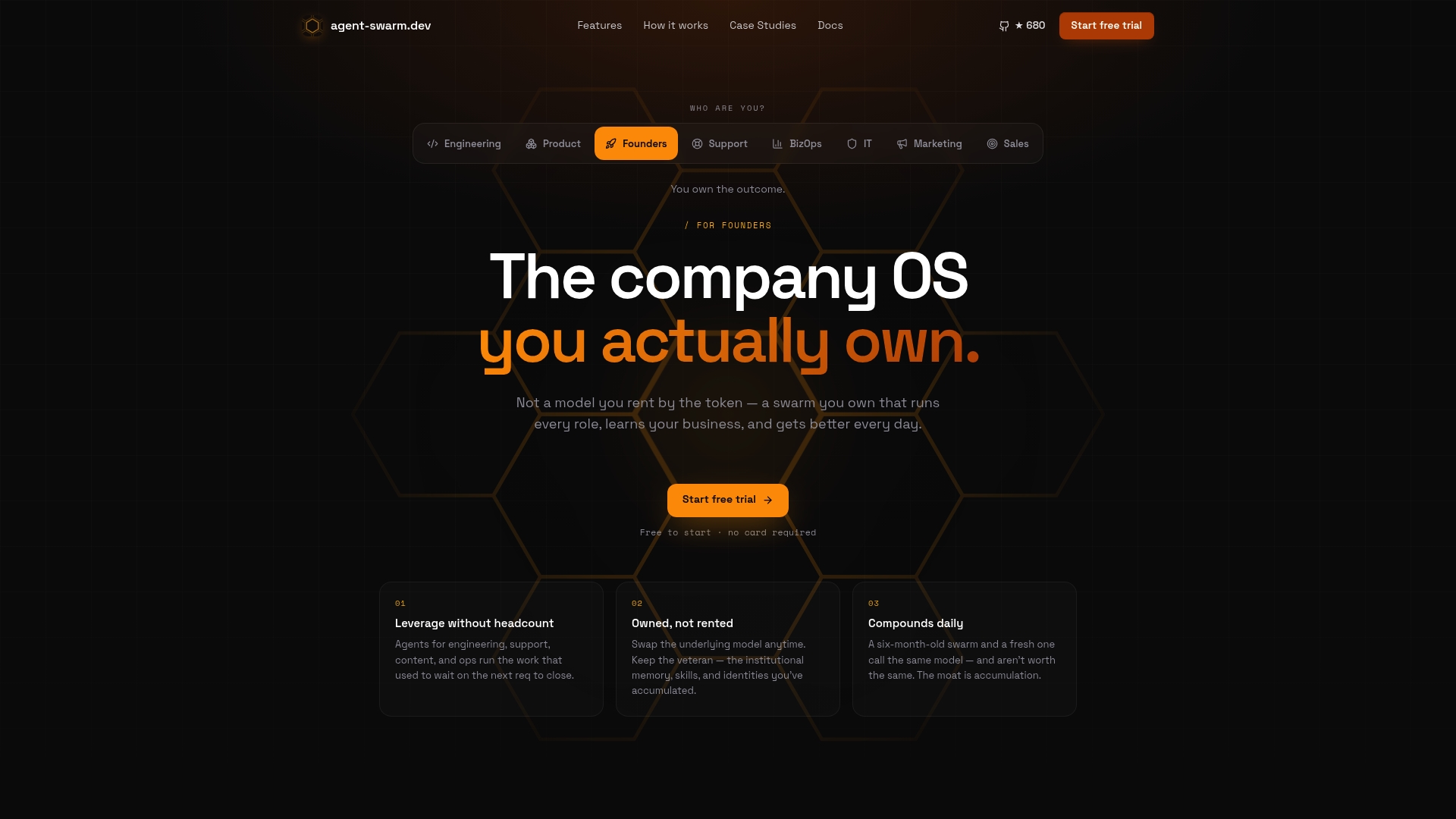
Because it's open-source under MIT license, you can run a proof-of-concept on your own infrastructure before committing to a cloud contract, which matters if your team needs to see the audit trail and worker isolation firsthand before trusting it with a real inbox. Teams that have run recurring workflows through it report fewer bottlenecks tying email into their existing engineering and operations tools, the kind of measurable gain detailed in the Capchase case study.
Your next step: browse real triage and follow-up sessions on the Examples page, or clone the open-source repo and run a draft-only pilot on one inbox this week.
Sources
FAQ
Can an AI Agent Automate Emails?
Yes. Agents can triage incoming mail, draft replies, extract data from attachments, and log actions to a CRM, though sensitive replies involving legal or financial terms should stay behind human review until the agent has a proven track record.
What Is the Best Way to Automate Emails?
Start with a draft-only pilot on one high-volume inbox, set a conservative confidence threshold, and expand to autonomous sends only after error rates stay consistently low. Platforms like agent-swarm.dev support this exact progression with auditable, isolated worker processes.
What Is the Best Email Automation Service?
There's no single best answer since it depends on whether you need simple autonomous drafting or coordinated multi-agent workflows across email, Slack, and your CRM. For teams that need the latter, an orchestration platform with native integrations and audit trails tends to outperform a single-purpose email tool.
How Do I Send 3,000 Emails at Once Safely?
Large batch sends should run through a durable, logged workflow rather than a single script, with rate limits respecting your provider's API and a rollback plan if delivery errors spike. A structured, one-off workflow pattern keeps a bulk send auditable and reversible instead of a fire-and-forget script.
Recommended
- Script Workflows: Durable One-off Runs for Agent Work | agent-swarm.dev
- Why We Banned 5-Minute Intervals in Our Agent Orchestrator | agent-swarm.dev
- Our AI Worker Containers Have Zero Local Database — And a 30-Line Bash Script That Makes It Impossible to Add One | agent-swarm.dev
- The Task State Machine: 7-State Lifecycle for Recovering From Agent Crashes | agent-swarm.dev
Related field notes
We Deleted --resume: A Bounded Preamble Beats Session Resume
Why Agent Swarm dropped claude --resume and codex.resumeThread for a 2,000-token context preamble that survives container restarts and harness re-routing.
Your Agents Write the Titles Your Trackers Read
An IMDEA audit of 9 AI chat services found trackers receiving titles, permalinks and screenshots, not just prompts. Agent swarms multiply those artifacts.
Best Open-Source AI Agent Platforms: Self-Host
Twelve open-source AI agent platforms you can self-host today, ranked by GitHub stars: license, install path, best use case and one real limitation each.