Engineering & AI Teams: Zapier Alternatives With Persistent Memory
Compare Zapier alternatives for engineering and AI teams. See why agent-swarm.dev's agent orchestration and persistent shared memory fit recurring,...

For engineering and AI-forward teams, Agent-swarm is the strongest Zapier replacement, built around persistent memory and multi-agent orchestration rather than single-step triggers. If your workflows are simpler, three other paths cover most needs: visual builders like Make for non-technical teams, self-hosted open-source tools like n8n for cost and data control, and developer-first platforms for teams that want to write code, not click nodes. Each path trades ease of use against control and price.
TL;DR:
- Agent-swarm.dev offers persistent memory and multi-agent orchestration, making it ideal for recurring engineering workflows that need context across runs.
- Make provides a visual interface with advanced branching capabilities, suitable for non-technical teams building complex workflows without coding.
- n8n is a self-hosted, flexible platform favored by technical teams for custom code integration and control over data and costs.
- Self-hosted open-source options like n8n and Activepieces enable cost predictability and data security, though they require operational management.
- Cost and complexity should guide choice: simple automations are fine with Zapier, but advanced workflows benefit from memory-enabled, agentic, or self-hosted solutions.
Table of Contents
- Zapier Alternatives Compared: Which One Actually Fits Your Workflow?
- How to Choose the Right Zapier Alternative for Your Team
- How agent-swarm.dev Replaces Zapier for Engineering Teams
- What 2026 Automation Trends Mean for Your Choice
- Why the "Just Pick the Cheapest One" Advice Fails Engineering Teams
- Get Started With agent-swarm.dev
- Sources
- FAQ
Zapier Alternatives Compared: Which One Actually Fits Your Workflow?
Zapier still works fine for a five-step email-to-Slack notification. It starts to strain once you need branching logic, self-hosting, per-action pricing control, or an AI agent that remembers what happened in yesterday's run. That's the gap this shortlist addresses.
We picked these fourteen entrants by looking at four signals: published pricing pages (not sales-call quotes), G2 and Capterra review consensus, vendor documentation depth, and, where we have direct experience, our own sessions running comparable workflows. A platform that scores well on paper but has thin, inconsistent reviews around setup friction gets flagged for it. Review-site consensus consistently splits the market three ways: Zapier for ease-of-use and connector breadth, Make for visual control over complex branching, and n8n or similar tools for teams that want to touch code.
agent-swarm.dev: the pick for engineering teams running recurring AI workflows
agent-swarm.dev is not a trigger-action tool competing on connector count. It's an open-source AI work operating system where a lead agent breaks a stated objective into discrete tasks and hands each one to a specialized worker (running Claude Code, Codex, OpenCode, or similar agents) inside an isolated container. The distinction that matters for engineering teams: shared memory persists across runs. A workflow that triages GitHub issues today has context from last week's triage decisions, not a blank slate every execution.
That architecture solves a problem Zapier and Make were never built for. A single Zap can watch a webhook and post to Slack. It can't coordinate five specialized agents against a shared codebase, retain what each one learned, and escalate only the parts that need a human. agent-swarm.dev integrates with many platforms and offers both self-hosted and cloud-based deployment options with usage-based pricing. Best for teams doing recurring, multi-step engineering or operations automation where the workflow itself needs to reason, not just relay data.
Make: the visual builder for complex, non-technical automation
Make (formerly Integromat) positions itself as a visual-first automation platform with over 3,000 pre-built apps and a scenario builder that handles branching logic most simple tools choke on. If you need a workflow with conditional paths, error routers, and iterators, and you don't want to write a line of code, Make's canvas view makes that structure visible in a way Zapier's linear step list doesn't. Reviewers on G2 generally rate it well for power, with the tradeoff being a steeper learning curve than Zapier for first-time users.
n8n: the developer-first, self-hostable option
n8n shows up constantly in G2 reviews as the platform technical teams reach for when they want workflow automation without ceding control of their data or their execution costs to a vendor's cloud. It's open-source, self-hostable, and lets you drop in custom JavaScript or Python code nodes anywhere a built-in integration falls short. Capterra reviewers note the tradeoff plainly: you get flexibility and no per-task billing ceiling, but someone on your team needs to own the server it runs on.
Microsoft Power Automate: enterprise governance at scale
Power Automate targets a different buyer entirely. It bundles RPA, deep Microsoft 365 connectivity, and enterprise-grade governance features like SSO, certified connectors, and audit logging. If your organization already runs on Microsoft 365 and needs IT to sign off on every automation touching sensitive data, Power Automate's governance layer justifies its complexity. Enterprise platforms like this and Workato earn their higher price with monitoring and compliance tooling that smaller vendors don't build.
The rest of the field, by category
Visual and hosted, budget-conscious: Pabbly Connect keeps pricing simple with flat plans rather than per-task metering, appealing to teams that got burned by a Zapier bill spike. Integrately and Appy Pie Connect both lean on pre-built one-click automation templates aimed at non-technical small business owners rather than custom logic. Automate.io and Appy Pie Automate occupy similar territory: basic, hosted, easy to start, thin on advanced branching.
Open-source and self-hosted: Activepieces brings a no-code interface to the open-source model, letting teams self-host without asking every user to read documentation first. Huginn and Apache NiFi go further toward developer-only territory. NiFi in particular is built for high-throughput data routing pipelines, not marketing-ops style automations, and it shows in the setup curve.
AI-native and agentic: Relay.app, Gumloop, and Relevance AI all lead with AI-first positioning, agent templates, and AI-enrichment steps baked into the builder rather than bolted on. Lindy AI and Stack AI push further into autonomous-agent territory, aimed at teams that want an agent handling a task end-to-end rather than a rigid step sequence. Vellum and Composio sit closer to the developer side of that same trend, offering APIs and SDKs for teams building their own agent orchestration rather than a drag-and-drop canvas.
CRM and data-centric: Outfunnel and HubSpot Operations Hub both show up repeatedly in CRM-sync comparisons because that's their entire focus: keeping marketing and sales data in lockstep rather than general-purpose automation. Whalesync does something narrower still, two-way syncing between tools like Airtable and a live app or website. Tadabase and Airtable both function as no-code database platforms with automation layered on top, useful when the workflow's real job is managing structured records, not routing events between apps.
Enterprise integration: Tray.io, Workato, and MuleSoft all compete for the same large-organization budget as Power Automate, each pitching deeper API management and integration-at-scale capability than a mid-market tool needs. UiPath rounds this out from the RPA side, automating desktop and legacy-system tasks that have no API to call.
Everything else worth naming: OttoKit and Stepper are newer entrants aiming at simplified, template-driven hosted automation. IFTTT remains the simplest option on this list, built for consumer-grade, single-trigger automations like smart home routines rather than business workflows.
| Tool | Best for | Pricing model | Hosting | Coding required | AI/agent capabilities |
|---|---|---|---|---|---|
| agent-swarm.dev | Engineering teams running recurring, multi-agent workflows | Free self-hosted MIT edition; cloud SaaS billed by active workers | Self-hosted or cloud | No-code setup, developer-friendly for customization | Lead agent + specialized workers, persistent shared memory |
| Make | Non-technical teams needing complex visual branching | Tiered plans by operations volume | Cloud | No-code | Growing AI/agent features within scenarios |
| n8n | Technical teams wanting self-hosting and custom code | Free self-hosted; paid cloud tiers | Self-hosted or cloud | Low-code with optional custom code nodes | Community AI nodes, agent workflow support |
| Microsoft Power Automate | Enterprises on Microsoft 365 needing RPA and governance | Per-user and per-flow enterprise licensing | Cloud (Microsoft) | No-code to low-code | AI Builder features within Microsoft ecosystem |
| Workato | Large enterprises needing integration at scale | Enterprise quote-based | Cloud | Low-code | Enterprise AI/automation features |
| Pabbly Connect | Budget-conscious hosted automation | Flat-rate plans | Cloud | No-code | Limited |
| Activepieces | Teams wanting open-source, self-hosted, no-code | Free self-hosted; paid cloud tiers | Self-hosted or cloud | No-code | Emerging AI pieces |
| IFTTT | Simple consumer-grade triggers | Free tier; paid plans for more applets | Cloud | No-code | Minimal |
| Relay.app | AI-enabled hosted workflow assistants | Tiered SaaS pricing | Cloud | No-code | AI-native workflow steps |
| Gumloop | AI-first automation with agent templates | Tiered SaaS pricing | Cloud | No-code | AI-native templates and agents |
| Relevance AI | AI-enrichment within automation flows | Tiered SaaS pricing | Cloud | No-code to low-code | Agentic and vector-based AI processing |
How to Choose the Right Zapier Alternative for Your Team
The right tool depends less on feature lists and more on how your team actually works. Start with these criteria before you touch a single trial account.
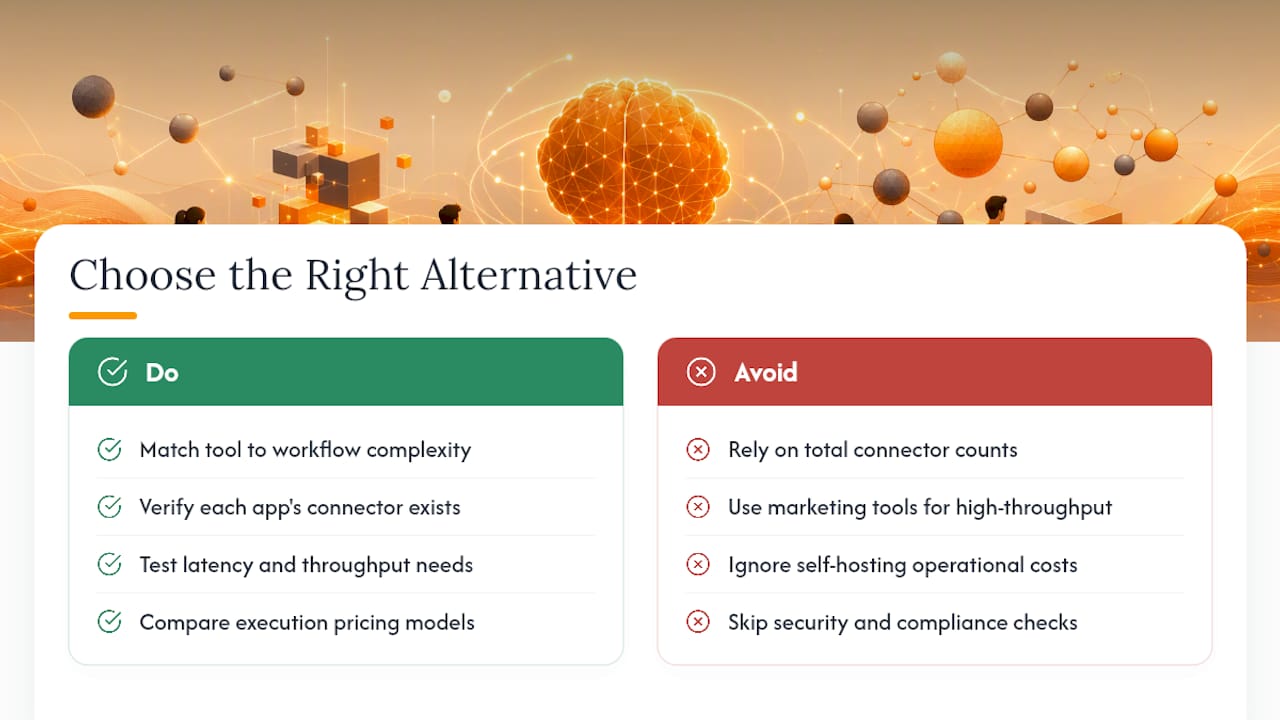
Workflow complexity. A three-step notification chain doesn't need the same tool as a workflow with five conditional branches and error-recovery paths. Match the tool's structural power to what you're actually building, not what you might build someday.
Connector gaps. List every app your workflow touches and check each candidate's integration list against it, not just the total connector count vendors advertise. A platform with 3,000 integrations is worthless if the one API you depend on isn't among them.
Latency and throughput needs. Trigger-action tools built for marketing workflows often weren't designed for high-frequency data pipelines. If you're processing thousands of events per hour, a platform like Apache NiFi built for data routing will outperform a general-purpose automation tool.
Execution pricing. Per-task or per-operation billing can spike unpredictably as usage grows. Flat-rate and worker-based pricing, like agent-swarm.dev's model, gives you a cost ceiling you can actually plan around.
Self-hosting versus managed cloud. Self-hosted platforms avoid per-action fees and keep sensitive data inside your own infrastructure, but someone has to own the server, the updates, and the on-call pager. Teams with engineering capacity and sensitive data tend to prefer self-hosting for exactly this reason, accepting the operational overhead as the cost of control.
Security and compliance. If you handle regulated data, confirm SSO support, audit logging, and data residency options before you fall in love with a feature set.
Observability and maintainability. When a workflow fails at 2 AM, how much information does the error log actually give you? This matters more than almost any other criterion once you're running dozens of workflows in production.
A five-step trial checklist
- Inventory your current workflows. Write down every Zap or automation you're replacing, in plain language, before you open a single new tool.
- Map critical connectors. Confirm the two or three apps your business depends on most are natively supported, not just theoretically reachable through a generic webhook.
- Run one real workflow end-to-end in each candidate. Don't test with a toy example. Use the messiest, most conditional workflow you have.
- Evaluate error handling and logs. Force a failure on purpose (bad input, missing field) and see how clearly the platform tells you what broke.
- Estimate a realistic monthly run cost. Multiply your actual expected volume against each platform's pricing tiers, not the volume in their marketing example.
Ask vendors directly: What happens when a run fails mid-workflow? Can I self-host if I outgrow the cloud plan? Is there a hard connector limit on lower tiers? Watch for red flags like pricing pages that hide per-task costs behind "contact sales," or review threads on Capterra repeatedly citing the same unresolved bug months apart.
Pro Tip: Most free trials cap you on run volume, not run complexity. Build one workflow with your worst-case branching logic and run it a handful of times manually rather than scheduling a high-frequency trigger. You'll hit the platform's structural limits before you hit its usage limits, and structural limits are the ones that matter three months in.
How agent-swarm.dev Replaces Zapier for Engineering Teams
The architecture is the point. A lead agent takes a stated objective, breaks it into discrete tasks, and assigns each one to a specialized worker running various specialized agents. Each worker operates inside its own isolated container. That isolation means one worker's bad shell command doesn't take down the others, and it means you can run multiple workers in parallel against the same objective without them stepping on each other's state.
The part that actually differentiates this from a trigger-action tool is memory. Shared context compounds across runs instead of resetting every execution. A workflow that reviews pull requests this week carries forward what it learned about your team's code style conventions from last week, rather than re-deriving them from scratch every single time.
Deployment is flexible on purpose:
- Free, self-hosted MIT-licensed edition for teams that want full control and no per-worker billing.
- Hosted cloud SaaS billed by number of active workers, for teams that want to skip infrastructure management.
- Integration support across many platforms without custom middleware.
One documented pattern from our session examples shows a recurring engineering workflow, a lead agent triaging incoming GitHub issues, delegating reproduction attempts to one worker and documentation updates to another, then posting a consolidated summary to Slack for human review. No step in that chain required a human to manually route the ticket first.
The gap between agent-swarm.dev and a tool like Zapier isn't feature count. It's that Zapier treats every run as stateless, while agent-swarm.dev's shared memory means the fifth run of a workflow benefits from what the first four runs learned.
That said, this isn't the right fit for every team. Setting up self-hosted agent-swarm.dev requires someone comfortable with Docker and container orchestration; it is not a five-minute signup like IFTTT. It suits engineering teams and technically capable operations teams best, typically organizations with at least some in-house engineering capacity to configure workers and integrations. If your entire need is "send a Slack message when a form is submitted," a simpler hosted visual builder like Make will get you there faster with less setup overhead.
What 2026 Automation Trends Mean for Your Choice
Two shifts are reshaping this market right now, and they should influence which category you lean toward.
AI-native features have gone from a nice-to-have to a real differentiator. Vendor messaging across the space increasingly centers on agents, persistent memory, and AI-driven mapping between fields. If your workflows involve any kind of judgment call, triaging a ticket, summarizing a document, deciding which branch to take, an AI-native platform or an agentic system like agent-swarm.dev will outperform a rigid trigger-action tool built before this shift.
Self-hosted, open-source options are gaining ground for a blunter reason: cost predictability and data control. Per-action cloud pricing gets expensive fast at scale, and platforms like n8n let technical teams sidestep that entirely, at the cost of owning the infrastructure themselves.
The practical mapping: if your team writes code and wants full control, lean self-hosted. If your workflows need reasoning and memory, lean AI-native or agentic. If you just need reliable data plumbing with governance sign-off, the enterprise tier still makes sense.
Why the "Just Pick the Cheapest One" Advice Fails Engineering Teams
Most automation advice treats tool selection like a spreadsheet exercise: compare price per task, count connectors, pick the winner. That approach works fine for a marketing team automating lead notifications. It actively misleads engineering teams evaluating a Zapier replacement for recurring technical workflows.
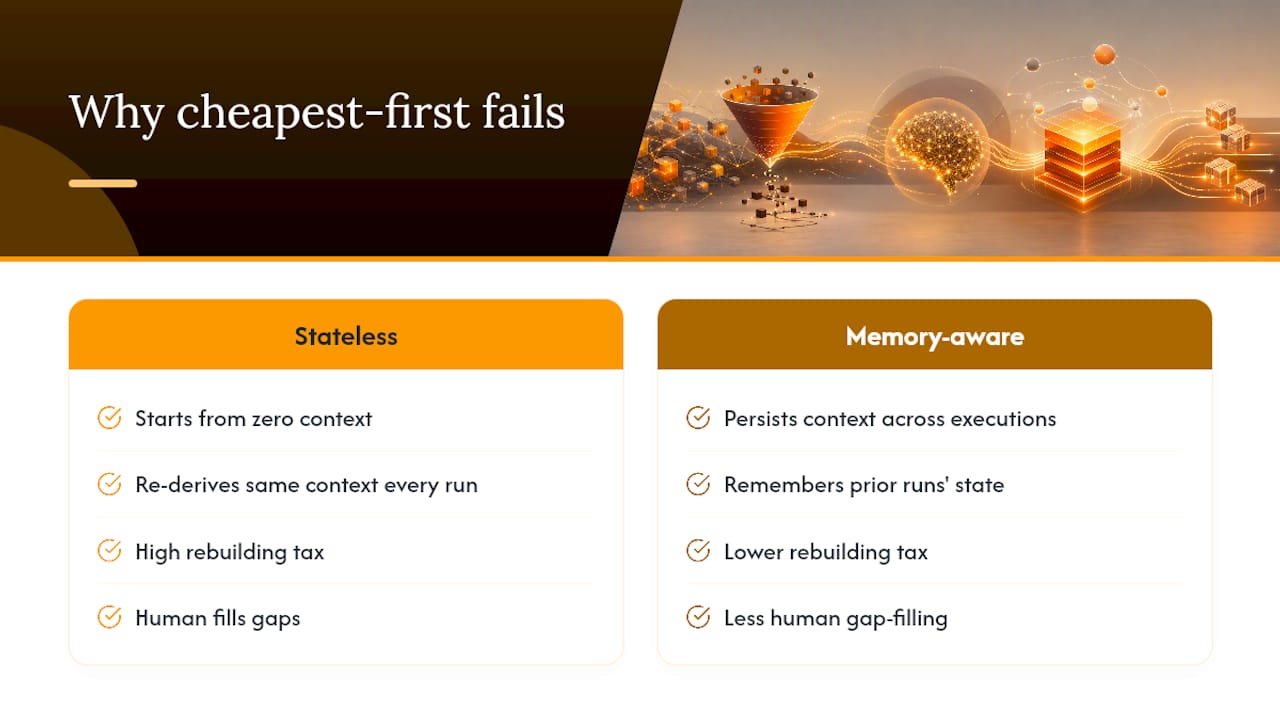
Here's the part that gets underweighted: the real cost of a stateless automation tool isn't the subscription price, it's the rebuilding tax. Every time a Zap or Make scenario runs, it starts from zero context. For a marketing sync, that's fine. For an engineering workflow that triages issues, reviews code, or coordinates across a codebase, that statelessness means the tool re-derives the same context every single run, and a human ends up filling the gaps a memory-aware system wouldn't have.
The industry's pivot toward "agentic" branding in 2026 is real, but a lot of it is surface-level: an AI step bolted onto an otherwise stateless workflow engine. The distinction worth actually caring about is whether memory persists across executions or gets discarded the moment a run completes. That's an architectural decision, not a feature toggle, and it's why we'd push back on treating platform choice as a pure connector-count exercise. Count the connectors last. Ask what the tool remembers first.
— Ez.-
Get Started With agent-swarm.dev
If your team is choosing between Zapier and the alternatives covered above, the question isn't just which tool has more connectors, it's whether your workflows need to remember anything between runs. agent-swarm.dev is built for exactly that gap: engineering teams running recurring, multi-step automations where a lead agent coordinates specialized workers and shared memory carries forward instead of resetting every execution.
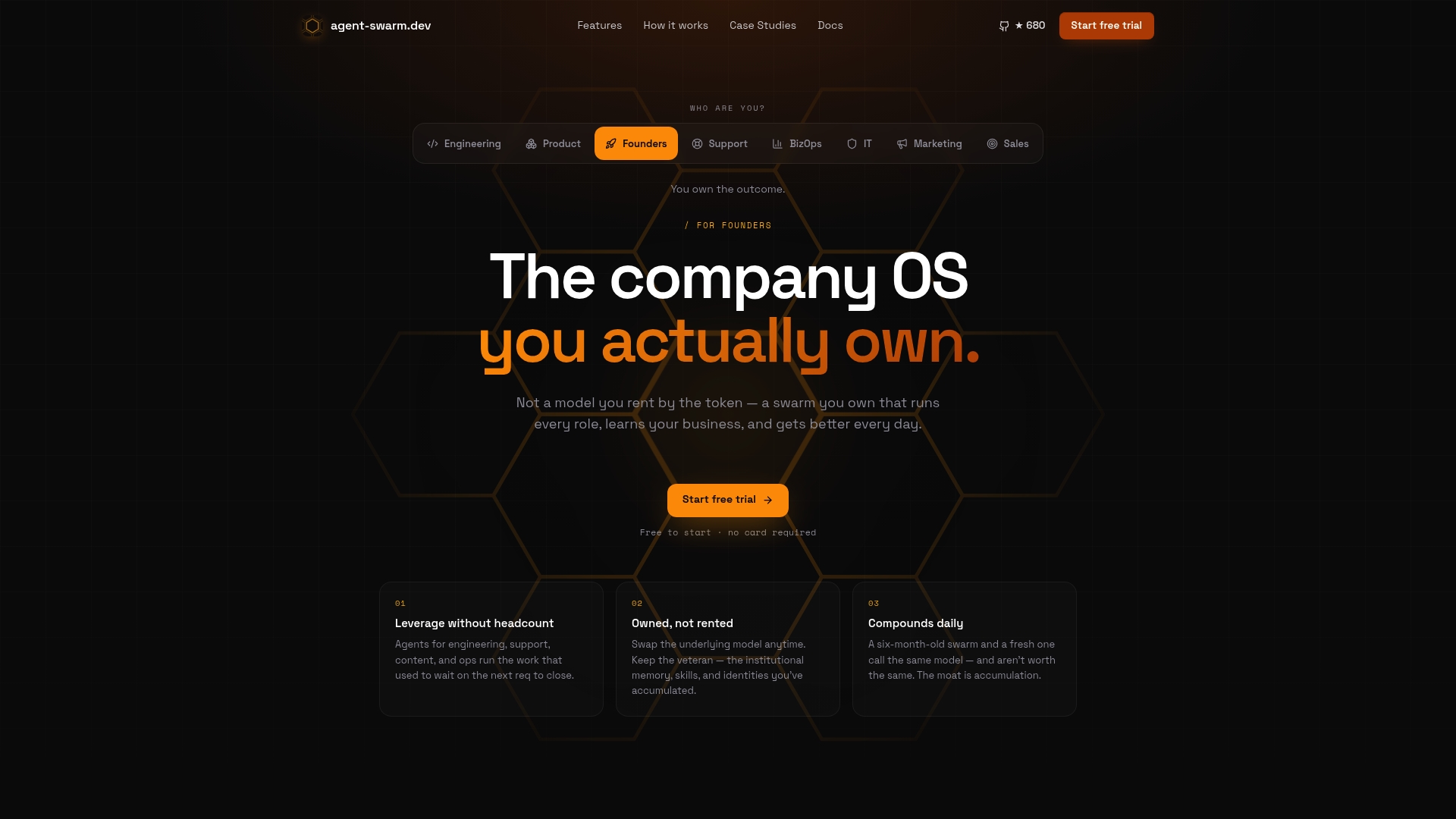
You can self-host the MIT edition for free if you want full control over infrastructure and data, or run the hosted cloud version billed by active worker count if you'd rather skip the ops overhead entirely. Either path integrates with Slack, GitHub, Linear, Turso, and OpenAI without custom middleware. The fastest way to see whether this fits your workflows is to look at real session examples showing how a recurring engineering task gets broken down and delegated end-to-end. If you're comparing agent-swarm.dev against other agent-oriented platforms directly, the Viktor comparison walks through how an owned coding swarm differs from a single AI employee model.
FAQ
Is n8n better than Zapier?
For teams that want self-hosting, custom code nodes, and no per-task billing ceiling, n8n is generally the stronger pick, and it's widely rated by technical users on G2 for that flexibility. For non-technical teams that want the fastest setup with zero infrastructure to manage, Zapier still has the edge.
Is Zapier still relevant?
Yes, for simple, linear automations and teams with no engineering resources, Zapier remains a fast, reliable choice. It becomes a weaker fit once workflows need complex branching, self-hosting, persistent memory across runs, or cost control at high volume.
What is the best AI automation platform?
For engineering teams needing agents that retain context across runs and coordinate multiple specialized tasks, agent-swarm.dev's lead-agent-and-workers architecture is built specifically for that job. For teams wanting AI-enrichment steps inside a more traditional visual builder, platforms like Gumloop or Relevance AI are worth evaluating instead.
Which is better, Zapier or Airtable?
They solve different problems. Zapier automates actions between separate apps, while Airtable is primarily a no-code database with its own lighter automation layer built on top. Many teams use both together rather than choosing one over the other.
Should I choose Zapier or Make for complex workflows?
Make's visual scenario builder handles branching logic and conditional paths more transparently than Zapier's linear step format, which is why review consensus favors Make for complex, non-technical automation. Zapier still wins on raw simplicity for straightforward, single-path workflows.
Recommended
Related field notes
Best Workflow Orchestration Tools for AI Agent Teams
Discover top workflow orchestration tools that enhance AI agent teams by breaking down tasks, managing context, and ensuring efficient execution.
Especificaciones de producto IA: qué debe llevar el documento
Guía para redactar especificaciones de producto para IA: objetivos, métricas P50/P95, datos y modelo, interfaces para agentes y monitorización.
12 Production Ready CrewAI Alternatives: agent-swarm for Engineers
Compare 12 production-ready CrewAI alternatives mapped to engineering constraints—graph control, typed outputs, RAG—and see why agent-swarm is the...