Cut AI Agent Cold Starts Up to 90% with Agent Sandbox on Kubernetes
A practical platform checklist to deploy AI agents on Kubernetes using Agent Sandbox, Kueue, KServe, KEDA, Pod Snapshots, warm pools, and full observability.
Yes, Kubernetes is a practical, production-ready foundation for agentic AI, provided you treat agents as first-class declarative workloads instead of scripts running on a VM. The winning architecture combines the emerging Agent Sandbox CRD, kernel-level isolation, pre-warmed pools, and full observability. This article walks through the primitives, the security model, and a checklist you can apply this week.
TL;DR:
- Kubernetes is ideal for managing agentic AI workloads that require GPU scheduling, stateful behavior, and declarative configuration, especially with multiple agents and shared infrastructure.
- Deploying agents as CRDs with external memory stores and stable network identities ensures scalable, auditable, and resilient orchestration.
- Kernel-level sandboxing and strict RBAC, combined with network policies and mTLS, are crucial to contain risks from code-executing agents.
- Warm pools and GPU scheduling tools can reduce cold-start latency by up to 90 percent, making real-time agent interactions feasible at scale.
- Starting with a single agent integrated with GitOps, tracing, and metrics helps establish a maintainable foundation before scaling to larger agent fleets.
Table of Contents
- Why Kubernetes Fits Agentic Workloads (and When to Avoid It)
- Kubernetes Primitives and Patterns for Running AI Agents
- Security and Isolation: Sandbox Runtimes, RBAC, and Network Controls
- Scaling, Gateways, and Cost: Warm Pools and GPU Scheduling
- Quick Deployment Checklist and Manifest Guidance
- How agent-swarm.dev Implements These Patterns
- Author Take: Where Platform Teams Should Actually Start
- Try agent-swarm.dev: Examples, Demos, and Comparisons
- Sources
- FAQ
Why Kubernetes Fits Agentic Workloads (and When to Avoid It)
An AI agent isn't a typical stateless microservice. It behaves more like a stateful singleton: it holds conversation context, waits idle for long stretches, then bursts into a chain of tool calls, code execution, and model requests. That usage pattern is exactly what Kubernetes was built to schedule, restart, and scale around, especially once GPUs enter the picture.
Where Kubernetes earns its complexity:
- Scheduling scarce GPU capacity across dozens of concurrent agent sessions instead of dedicating a fixed VM per agent.
- Declarative rollouts and GitOps, so an agent's config, model version, and permissions live in version control, not in someone's memory.
- Built-in health checks, autoscaling, and observability hooks that map cleanly onto agentic workflows.
If you're running a single agent for internal automation with no GPU requirement and no compliance mandate, a managed inference endpoint or a lone VM is genuinely cheaper and faster to ship. Kubernetes pays off once you have more than a handful of agents, shared infrastructure, or a security boundary to enforce.
Kubernetes Primitives and Patterns for Running AI Agents
Deploying AI on Kubernetes for agentic workloads means mapping agent behavior onto concrete objects rather than inventing new abstractions. Here's the core pattern set platform teams converge on:
- Treat each agent as a CRD or first-class resource. Store its manifest, model reference, and tool permissions in Git so the desired state is auditable and reversible, not scattered across shell scripts.
- Separate ephemeral state from durable memory. Use PersistentVolumeClaims for local scratch space and checkpoints, but push long-term context and embeddings to an external vector database rather than baking it into a pod's disk.
- Give agents stable identity via a ClusterIP Service. This lets a lead process or gateway route to a worker agent by name, even as pods restart or reschedule.
- Tune probes for real agent behavior. A
startupProbeshould tolerate model load time (which can run into tens of seconds for larger local models), thereadinessProbeshould check that the agent's tool connections are live, and thelivenessProbeshould catch a hung agentic loop without killing it mid-task. - Inject provider credentials through Secrets and workload identity, not environment variables baked into an image. Pairing Kubernetes Secrets with a cloud provider's workload identity federation avoids long-lived API keys sitting in etcd.
This structure mirrors the production-shaped manifest pattern of a containerized agent HTTP server backed by Secrets, PVCs, and tuned probes, and it's the same discipline behind avoiding local databases in worker containers.
Security and Isolation: Sandbox Runtimes, RBAC, and Network Controls
Agents that write and execute code are a different threat model than a typical API service. A compromised or hallucinating agent can run arbitrary commands, so kernel-level sandboxing (gVisor or Kata Containers) matters far more here than for a standard microservice, because it isolates the syscall surface, not just the container filesystem.
Layer these controls together rather than picking one:
- Run agent workloads in gVisor or Kata runtime classes whenever the agent can generate or execute code it wasn't handed verbatim.
- Grant each agent a least-privilege ServiceAccount scoped to only the namespace and resources it needs, never cluster-admin by default.
- Inject provider credentials through a sidecar proxy pattern (an Envoy proxy is a common choice) so the agent process never sees the raw API key.
- Apply NetworkPolicies and mTLS, via a service mesh like Istio's Ambient mode, to control which agents can talk to which services and to lock down egress to approved model endpoints.
Platform teams should manage agents with the same rigor as any other networked service: RBAC, mTLS, and OpenTelemetry-backed observability aren't optional extras for agentic workloads, they're the baseline.
Pro Tip: Set your egress NetworkPolicy to deny-by-default and allow-list only the model endpoints and internal APIs an agent actually calls. It's a five-minute change that catches most credential-exfiltration attempts before they leave the cluster.
Scaling, Gateways, and Cost: Warm Pools and GPU Scheduling
Cold starts are the single biggest latency killer in agent fleets, because loading a model or rebuilding an agent's sandbox from scratch can take minutes. The Agent Sandbox project addresses this directly with a Sandbox CRD that supports pre-warmed pools and lifecycle controls.
The number that matters: pairing pre-warmed sandboxes with Pod Snapshots on GKE can cut cold-start latency by up to roughly 90%, turning a multi-minute restore into a sub-second one for both CPU and GPU workloads, according to Google Cloud's own benchmarking.
On top of warm pools, three patterns keep cost and complexity in check:
- Route model traffic through a centralized inference gateway rather than letting each agent call providers directly. This simplifies retries, rate limiting, and observability across heterogeneous model backends.
- Schedule GPU-bound inference with Kueue for queueing and fair-share across teams, and let Karpenter or Cluster Autoscaler handle node provisioning.
- Prefer Deployments behind a Service, scaled by KEDA or the HPA, over DaemonSets for inference workloads. Deployments plus autoscalers decouple replica count from node count, which DaemonSets can't do.
Quick Deployment Checklist and Manifest Guidance
Before writing a single manifest, get the cluster groundwork in place. Skipping this step is the most common reason agent deployments stall in staging.
- Preflight the cluster: create a dedicated namespace, resource quotas, an encrypted Secrets backend (a KMS-backed provider, not plaintext etcd), a GPU-labeled node pool, and a GitOps repo with Argo CD or Flux watching it.
- Author the Sandbox or Agent CRD with model reference, resource requests (CPU, memory, and GPU limits), and the runtime class (gVisor/Kata) set explicitly.
- Add a ClusterIP Service for stable routing, and a PVC only if the agent needs local durable scratch space beyond its vector store.
- Set probe values deliberately: a
startupProbewith enoughfailureThresholdto cover model load, areadinessProbehitting a lightweight health endpoint, and an HPA or KEDAScaledObjecttied to queue depth or concurrent sessions rather than raw CPU. - Define your scale-to-zero policy for idle agents, then verify the rollout with a canary: watch Prometheus metrics for latency and error rate before shifting full traffic.
Pro Tip: Keep every manifest, including Secrets references (not values), in the same Git repo as your application code. When an agent misbehaves in production, git log on that folder is often faster than any dashboard for figuring out what changed.
How agent-swarm.dev Implements These Patterns
agent-swarm.dev runs on the same architectural instincts described above, just packaged for teams that don't want to write every CRD by hand. A lead agent breaks objectives into tasks and hands them to specialized workers (Claude Code, Codex, OpenCode, and others), each running in its own isolated container, with shared memory persisting across runs instead of resetting on every task.
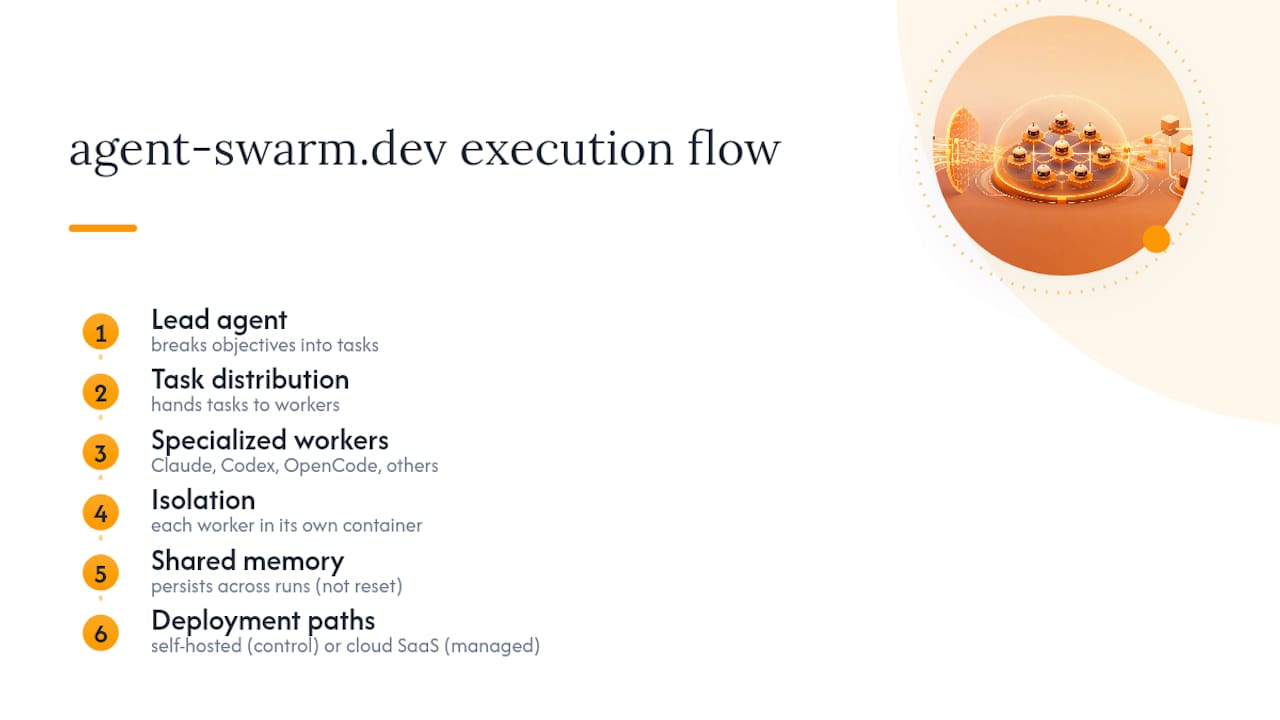
Two deployment paths map directly to the self-hosted-versus-managed decision every platform team faces. The open-source, self-hosted route gives you full control over the cluster, the sandbox runtime, and your data residency. The cloud-hosted SaaS path hands off the operational burden, cluster tuning, warm pools, GPU scheduling, while keeping the same lead-worker model and integrations into Slack, GitHub, and Linear. Either way, coordination between workers follows the same anti-pattern-avoidance principles covered in multi-agent coordination design.
Author Take: Where Platform Teams Should Actually Start
Start with one agent, wired into GitOps, with tracing and metrics turned on from day one. Skip the temptation to hand-roll a bash orchestrator, it works until the third edge case, then becomes unmaintainable. Watch GPU pinning too: over-reserving a whole node for one agent looks safe but wastes budget fast. Track token spend per agent and tune prefix caching before you scale to a fleet.
— Ez.-
Try agent-swarm.dev: Examples, Demos, and Comparisons
agent-swarm.dev gives you the lead-worker orchestration, sandboxed containers, and persistent memory this article just walked through, without requiring your team to hand-build every CRD and gateway from scratch.
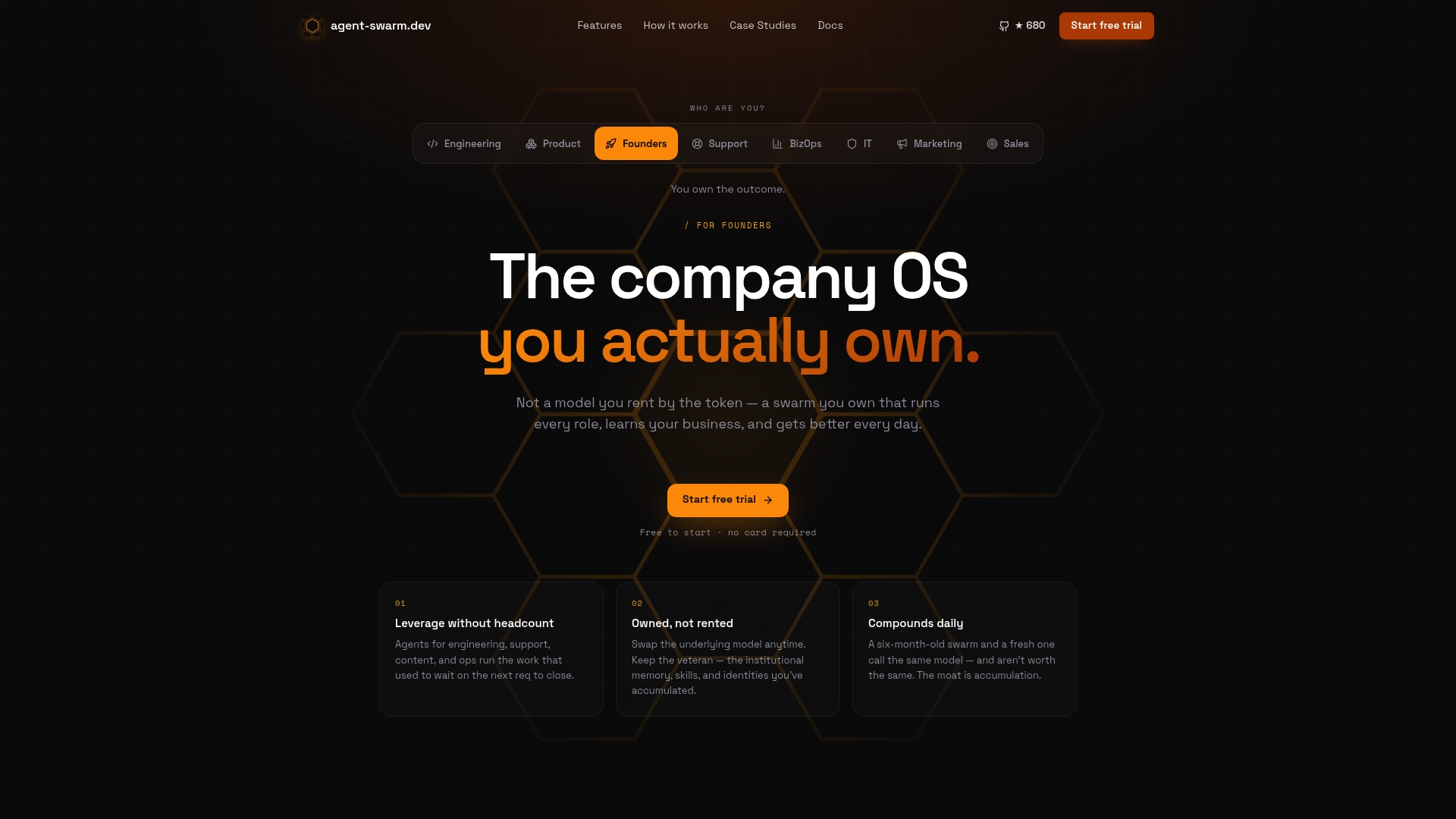
You can self-host the open-source core for free or run it as a managed cloud service billed by active worker, either way, the underlying pattern (isolated containers, GitOps-friendly config, integrations into Slack, GitHub, and Linear) stays the same. If you're weighing this against a hosted workspace approach, the comparison against Cloudflare's OS model lays out where the operating-team model wins on persistent context and task delegation. The fastest way to see it in action is to walk through Agent-swarm and watch how a lead agent splits a real engineering task across workers.
Sources
- Running Agents on Kubernetes with Agent Sandbox
- Kubernetes-native AI infrastructure patterns
- How to Deploy an AI Agent on Kubernetes: A Production Guide
FAQ
Is Kubernetes Good for AI Workloads?
Yes. Kubernetes handles GPU scheduling, declarative rollouts, and observability well, and the Agent Sandbox CRD extends that fit specifically to agentic workloads with kernel-level isolation and warm pools.
Will Kubernetes Be Replaced by AI?
No. AI agents are workloads that need orchestration, not a replacement for the orchestrator. If anything, tools like Kueue, KServe, and Agent Sandbox show Kubernetes absorbing AI-specific primitives rather than being displaced by them.
Which Database Is Best for AI Agents?
Most production setups pair a PersistentVolumeClaim for ephemeral scratch state with an external vector database for long-term memory and embeddings, rather than relying on local container storage.
Which AI Tooling Works Best on Kubernetes?
Kubernetes-native projects like Kubeflow, Kueue, and KServe give the strongest fit because they expose training, queueing, and serving as declarative APIs that integrate with GitOps. For teams that want the orchestration layer prebuilt, agent-swarm.dev applies the same lead-worker, sandboxed-container model without requiring you to author every CRD yourself.
Recommended
Related field notes
Diseña roles de agente IA con ReAct y RAG para equipos técnicos
Cómo diseñar roles de agente IA para equipos técnicos: aplica ReAct y RAG, evita fallos en producción y define gobernanza y permisos.
Agent Reliability Engineering: 30 Day Plan for SREs
Map SRE practices to AI agents: set SLOs, run golden set evals, capture structured traces, and follow a 30 day plan to stabilize agent fleets.
Stop Agentic RAG Failures with 5 Evaluation Controls for Engineers
Practical guide for engineers to evaluate agentic RAG: a 5 step checklist, golden set CI gates, traceable execution traces, and role level cost controls.