Decide Fast: Which Make Alternatives Fit Your Core Constraint
Match why you are leaving Make, whether cost, data control, AI reasoning, or governance, to the right replacement with checklist and a handpicked shortlist.

For teams that want owned, multi-agent automation with memory that persists, agent-swarm.dev is the strongest fit. For teams leaving Make over rising per-operation costs, n8n's self-hosted, execution-based billing solves that directly. For code-first flexibility, Pipedream lets developers drop custom logic into any step, and for generalists who just want the widest connector catalog, Zapier still wins on breadth.
TL;DR:
- Agent-swarm.dev is ideal for teams requiring persistent, memory-enabled multi-agent automation that delegates tasks across specialized workers with full data control.
- n8n offers predictable, cost-effective self-hosted workflows with execution-based billing, making it a strong alternative for scaling teams concerned about Make's rising operation costs.
- Pipedream supports code-savvy developers who want flexible, code-injected steps alongside prebuilt connectors, lacking a self-hosted option for most users.
- Activepieces provides open-source, modifiable automation with clear flow-run pricing, suited for teams that want to avoid infrastructure management and focus on predictable costs.
- Workato and Tray.io serve enterprise organizations needing governance, scalability, and API-driven orchestration, often with custom pricing and more complex setup requirements.
Table of Contents
- Which Make Alternatives Should You Actually Consider?
- How Do These Alternatives Compare Side by Side?
- How Do You Choose the Right Make Alternative?
- How We Evaluated These Alternatives
- When Should You Choose agent-swarm.dev?
- Where Can You Verify These Comparisons Yourself?
- What Actually Matters When You're Picking a Make Replacement
- A Different Route: Owned Automation Instead of a Rented Workflow Tool
- Sources
- FAQ
Which Make Alternatives Should You Actually Consider?
Most "best Make alternatives" roundups read like a phone book: forty names, no filter, and no sense of who each tool actually serves. That's backwards. The right way to shop this category is to start with why you're leaving Make in the first place, then match that reason to a platform built around it.
Comparison guides that group alternatives this way consistently outperform pure ranked lists, because fit matters more than position on a chart. Cost creep from Make's operation-based credits is one common trigger. A desire for data control and self-hosting is another. A third is the shift toward AI-native workflows, where the automation itself needs to reason, not just route data. A fourth is raw integration breadth, especially for teams without in-house developers.
Here's the shortlist, organized by who each platform actually serves.
agent-swarm.dev is built around a different premise than most items on this list: automation that runs as a coordinated team of AI agents rather than a chain of static steps.
- What it is: an open-source operating system where a lead agent breaks objectives into tasks and assigns them to specialized workers running in isolated containers.
- Best for: engineering and operations teams that need agentic automation with memory that compounds across runs, not just triggers that fire and forget.
- Standout capability: persistent shared memory across agents, so context from previous tasks informs new ones, plus a self-hosted option that keeps data and infrastructure fully in-house.
- Deployment and pricing: self-hosted (MIT license, no published price), Cloud (billed monthly per active worker), and Enterprise (custom).
n8n is the default answer whenever someone asks how to escape Make's credit model without giving up flexibility.
- What it is: a node-based visual builder with a large library of prebuilt integrations and native support for writing custom JavaScript inside nodes.
- Best for: teams that want to self-host for data control and bill by whole-workflow execution instead of counting individual operations.
- Standout capability: self-hosting paired with execution-based billing, which tends to undercut Make's per-module pricing once workflow volume climbs.
- Deployment and pricing: self-hosted (free, open-source core) or managed cloud (per-execution pricing tiers); enterprise tier adds SSO and governance.
Pipedream exists for developers who find visual-only builders limiting the moment logic gets complicated.
- What it is: a serverless automation platform that mixes prebuilt connectors with actual code steps, supporting several languages.
- Best for: developer teams that want to drop a script into the middle of a workflow instead of chaining together five generic actions to fake custom logic.
- Standout capability: code-first steps alongside connectors, so you're not boxed into whatever transformation the vendor happened to expose in the UI.
- Deployment and pricing: managed cloud with credit-based pricing; no self-hosted tier for most users.
Activepieces targets teams that want the openness of n8n but with a cleaner managed-cloud on-ramp.
- What it is: an open-source automation core (MIT licensed) available either self-hosted or through managed cloud tiers.
- Best for: teams that want to inspect and modify the underlying code but don't want to run infrastructure on day one.
- Standout capability: flow-run pricing rather than per-operation counting, which is easier to forecast for spiky workloads.
- Deployment and pricing: self-hosted or cloud, with pricing tied to the number of flow runs rather than individual steps.
Workato is built for organizations where IT has veto power over every new tool.
- What it is: an enterprise integration and automation platform with heavy governance tooling baked in from the start.
- Best for: large organizations that need SSO, audit trails, and observability more than they need low cost.
- Standout capability: enterprise governance controls that most no-code tools bolt on later, if at all.
- Deployment and pricing: managed cloud, quote-based enterprise pricing.
Pabbly Connect is the budget pick for teams running simple, high-volume automations without technical staff.
- What it is: a no-code automation service that, on many plans, counts only action steps rather than every operation in a workflow.
- Best for: small teams and solo operators who want the cheapest reliable way to connect two or three apps.
- Standout capability: action-step billing that can work out cheaper than Make for lean, linear workflows.
- Deployment and pricing: managed cloud only, flat-rate plans based on task volume.
Tray.io sits at the enterprise end of the spectrum, similar in spirit to Workato but leaning harder into API-first orchestration.
- What it is: an enterprise-grade iPaaS built for complex, high-scale integration work.
- Best for: enterprise IT teams that need to orchestrate dozens of systems with strict reliability requirements.
- Standout capability: API-first connector architecture designed to scale past what most no-code tools can handle.
- Deployment and pricing: managed cloud, quote-based.
Integrately is the anti-Pipedream: it exists so nontechnical users never have to think about nodes, code, or logic branches.
- What it is: a one-click automation tool with a massive template library for common app pairings.
- Best for: nontechnical teams that want to pick a template and be done in minutes.
- Standout capability: one-click setup that skips the usual trigger-action configuration entirely.
- Deployment and pricing: managed cloud, tiered by task volume.
Gumloop takes automation and rebuilds it around AI inference instead of treating AI as an add-on step.
- What it is: an AI-native automation canvas where LLM steps and agent behavior are first-class citizens, not afterthoughts.
- Best for: teams whose core workflow is an AI task, such as document summarization pipelines or research agents.
- Standout capability: built-in LLM steps that don't require wiring a separate AI API into a generic HTTP node.
- Deployment and pricing: managed cloud, credit-based (AI steps often draw on separate model credits, so verify real-world costs during a trial).
Relay.app solves a problem most automation tools ignore: sometimes a human needs to approve or edit something mid-workflow.
- What it is: a workflow platform built around human-in-the-loop steps combined with AI-assisted automation.
- Best for: processes like content approval, expense review, or anything where a person needs a checkpoint before the workflow continues.
- Standout capability: native approval steps that don't require bolting on a separate ticketing system, backed by consistently solid user reviews.
- Deployment and pricing: managed cloud, tiered pricing.
StackAI leans fully into LLM-native workflows, particularly for document-heavy decision processes.
- What it is: a platform for building AI agent workflows where reasoning steps sit at the center of the pipeline.
- Best for: teams automating document review, extraction, or decision support where an LLM has to actually interpret content, not just move it.
- Standout capability: agent-oriented workflow design tuned specifically for LLM reasoning tasks.
- Deployment and pricing: managed cloud, quote-based for larger deployments.
Zapier remains the name most people think of first, and for good reason.
- What it is: the largest published connector directory in the automation space, paired with the simplest possible trigger-action model.
- Best for: generalist teams, especially nontechnical ones, that need to connect a huge variety of apps without a learning curve.
- Standout capability: breadth of integrations and ease of setup that few competitors match, though per-task pricing gets expensive at high volume.
- Deployment and pricing: managed cloud only, tiered by task count.
How Do These Alternatives Compare Side by Side?
Reading a comparison table for this category means weighing five things at once: what you're already committed to (self-hosting or not), how billing will behave once volume triples, whether AI reasoning is a core requirement or a nice-to-have, who on your team will actually configure workflows, and where the platform quietly breaks down.
| Platform | Best For | Deployment | Pricing Model | AI-Native Support | Ease of Use / Target User | Notable Trade-Off |
|---|---|---|---|---|---|---|
| agent-swarm.dev | Owned multi-agent automation with persistent memory | Self-hosted or cloud | Per active worker (cloud) | Yes | Technical teams, engineering-led | Requires some setup investment to configure agent roles |
| n8n | Self-hosting and cost predictability at scale | Self-hosted or cloud | Per-execution | Limited | Developer-friendly, some no-code use | Self-hosting shifts cost into infrastructure and maintenance |
| Pipedream | Code-first developer workflows | Cloud | Credit-based | Limited | Developer-focused | No mainstream self-hosted tier |
| Activepieces | Open-source core with predictable billing | Self-hosted or cloud | Flow-run | Limited | Technical, approachable UI | Smaller connector library than Zapier or Make |
| Workato | Enterprise governance and IT control | Cloud, enterprise | Quote-based | Limited | Enterprise IT | Pricing and onboarding require sales engagement |
| Pabbly Connect | Low-cost automation for small teams | Cloud | Action-step / flat tiers | No | Nontechnical | Fewer advanced logic features than developer platforms |
| Tray.io | Enterprise-scale API orchestration | Cloud, enterprise | Quote-based | Limited | Enterprise IT | Overbuilt for simple, low-volume workflows |
| Integrately | Fast one-click setup | Cloud | Task-based tiers | No | Nontechnical | Limited flexibility for complex branching logic |
| Gumloop | AI-inference-centered automation | Cloud | Credit-based | Yes | Technical, AI-focused | AI steps may draw separate model credits beyond base plan |
| Relay.app | Human-in-the-loop approval workflows | Cloud | Tiered | Yes | Mixed technical and nontechnical | Less suited to fully unattended, high-volume runs |
| StackAI | LLM-native document and decision workflows | Cloud | Quote-based | Yes | Technical, AI-focused | Narrower general-purpose connector catalog |
| Zapier | Broadest connector coverage, easiest on-ramp | Cloud | Per-task tiers | No | Nontechnical | Per-task cost climbs fast at high volume |
Read this table by deciding which column matters most before you look at any single row. If you expect high-volume, repetitive runs, weight deployment and pricing model above every other column. If your workflow's core job is AI reasoning rather than data routing, the AI-native support column should override almost everything else, including price.
Pro Tip: Before committing to a platform based on this table, run the same test workflow through your top two picks and log actual per-run cost after 100 executions. Categorical pricing labels (per-execution, flow-run, credits) hide real differences that only show up at volume.
How Do You Choose the Right Make Alternative?
Start by naming your actual constraint, because that single decision eliminates most of this list before you write a single workflow. Ask yourself which of these is true: rising per-operation costs are the problem, data residency and self-hosting are the problem, you need AI reasoning inside the workflow itself, or you need governance controls your compliance team will actually sign off on. Pick one primary constraint. Trying to optimize for all four at once is how teams end up trialing eight tools and shipping nothing.
Once you know your constraint, run through this checklist during any trial:
- Does the platform support every connector you use today, not just the popular ones?
- Can you export your data and workflow definitions without vendor lock-in?
- Is the pricing model predictable at 3x your current volume, not just at today's volume?
- Does it offer a real test or staging environment separate from production?
- What does retry and error handling look like when a downstream API times out?
- Are access controls granular enough for your team's structure (roles, not just an admin/everyone split)?
- How much engineering time will migrate your top five workflows actually take?
- Does the vendor publish uptime and incident history, or do you have to ask?
Bring these questions into vendor conversations directly, because sales calls rarely volunteer the answers:
- What happens to running workflows during a platform outage?
- Is self-hosting genuinely production-ready, or is it a checkbox feature?
- How is AI/LLM usage billed separately from workflow execution?
- What's the realistic onboarding timeline for a team our size?
- Can we talk to a customer who migrated from Make specifically?
Watch for a few red flags: vague answers about data export, pricing pages that hide the per-operation math behind "contact sales," and AI features described only in marketing language with no documented throughput numbers.
On migration cost: the biggest hidden expense isn't the new platform, it's the labor of rebuilding logic that Make handled invisibly, as explained in this WordPress Publishing Automation for Content Teams guide. Self-hosting in particular shifts spend from usage fees into infrastructure and maintenance time, which is a fair trade for cost control but not a free one. The simplest migration approach: export your current Make scenarios, rebuild only your single most critical workflow first, and run it in shadow mode alongside the original before cutting over anything else.
How We Evaluated These Alternatives
We compared these platforms using four criteria: published pricing model structure, public documentation depth, hands-on trial runs of representative workflows where a trial was accessible without a sales call, and review aggregates from G2 and Capterra as a cross-check on real-world satisfaction.
- Pricing was evaluated categorically (per-execution, flow-run, credit-based, quote-only), not by exact dollar figures, since most vendors change tiers frequently.
- Documentation review focused on whether self-hosting, API access, and integration lists were clearly published versus locked behind demos.
- Trial workflows were built where platforms allowed it without a sales conversation; enterprise-only features on platforms like Workato and Tray.io were evaluated through published docs and case studies rather than hands-on testing, since those tiers are largely quote-gated.
- Review aggregates on G2 and Capterra were used as a satisfaction signal, not as the primary ranking factor.
Checks were performed against current vendor documentation and pricing pages as of early 2026. Treat any implied ordering in this article as fit-based, not a strict best-to-worst ranking. A platform ranked lower for a generalist may be the correct top pick for a developer team, and vice versa.
When Should You Choose agent-swarm.dev?
agent-swarm.dev fits a specific job: teams that have outgrown simple trigger-action chains and need automation that reasons, remembers, and delegates across multiple steps without a human re-explaining context every time.
The architecture uses a lead agent that breaks a goal into tasks and hands them to specialized workers, each running in an isolated container using models like Claude Code, Codex, or OpenCode. That's structurally different from a Make scenario or an n8n workflow, where each run starts cold.
- Open-source, self-hosted core (MIT license) for teams that need full data control, alongside Cloud and Enterprise plans.
- Persistent shared memory across agents, so context compounds across sessions instead of resetting.
- Integrations with various platforms, including Slack, GitHub, Linear, and OpenAI.
- Cloud plans billed monthly per active worker.
This maps directly to the three constraints covered earlier in this guide. If your reason for leaving Make is data control, self-hosting answers it. If it's AI-native orchestration, multi-agent delegation with persistent memory answers it more directly than a single LLM step bolted onto a linear workflow. If it's long-running processes that need context from last week's run, that's exactly what persistent memory is built for.
Teams evaluating this path can review real session examples to see how task breakdown and worker assignment play out in practice before committing to a trial.
Where Can You Verify These Comparisons Yourself?
Pricing and feature sets in this category shift often, so treat every claim above as a starting point for your own verification, not a final answer.
- n8n reviews on G2 — user-reported strengths and complaints on self-hosting and execution billing.
- Zapier reviews on G2 — satisfaction data on connector breadth and ease of use.
- n8n on Capterra — additional review coverage, useful for cross-checking G2 sentiment.
- Comparee — a job-to-be-done style comparison guide.
- LangFlow documentation — reference for how LLM steps get built into automation pipelines.
Vendor pricing pages remain the authoritative source for exact numbers. Everything here reflects public documentation and review aggregates current as of early 2026.
What Actually Matters When You're Picking a Make Replacement
Most Make alternatives content treats this like a shopping list problem: more connectors, lower price per task, done. That misses the real decision, which is architectural. Make and its direct clones assume automation is a sequence of steps. The moment your workflow needs judgment, memory, or delegation, that assumption breaks down, and no amount of connector breadth fixes it.

The conventional advice, "pick whichever alternative has the most integrations," works fine for simple app-to-app syncing. It fails the second a workflow needs to remember what happened in a previous run or hand off a subtask to something better suited for it. That's not a pricing problem or a connector-count problem. It's a structural one.
Here's what we'd prioritize: name your constraint first, cost, control, or AI-native reasoning, and let that single answer filter the list before you touch a demo. Teams doing recurring, context-heavy work should weigh persistent memory and agent delegation as seriously as they weigh price per operation. That's a genuinely different question than "which tool has the cheapest task pricing," and most comparison guides never ask it.
A Different Route: Owned Automation Instead of a Rented Workflow Tool
Every platform covered above rents you automation capacity: you pay per task, per execution, or per credit, and the moment you stop paying, the workflow stops thinking. agent-swarm takes a different approach for teams that want to own the automation layer outright. Instead of chaining triggers and actions, a lead agent breaks your goal into tasks and delegates them to specialized workers that remember what happened last time, running in Claude Code, Codex, or OpenCode containers you control.
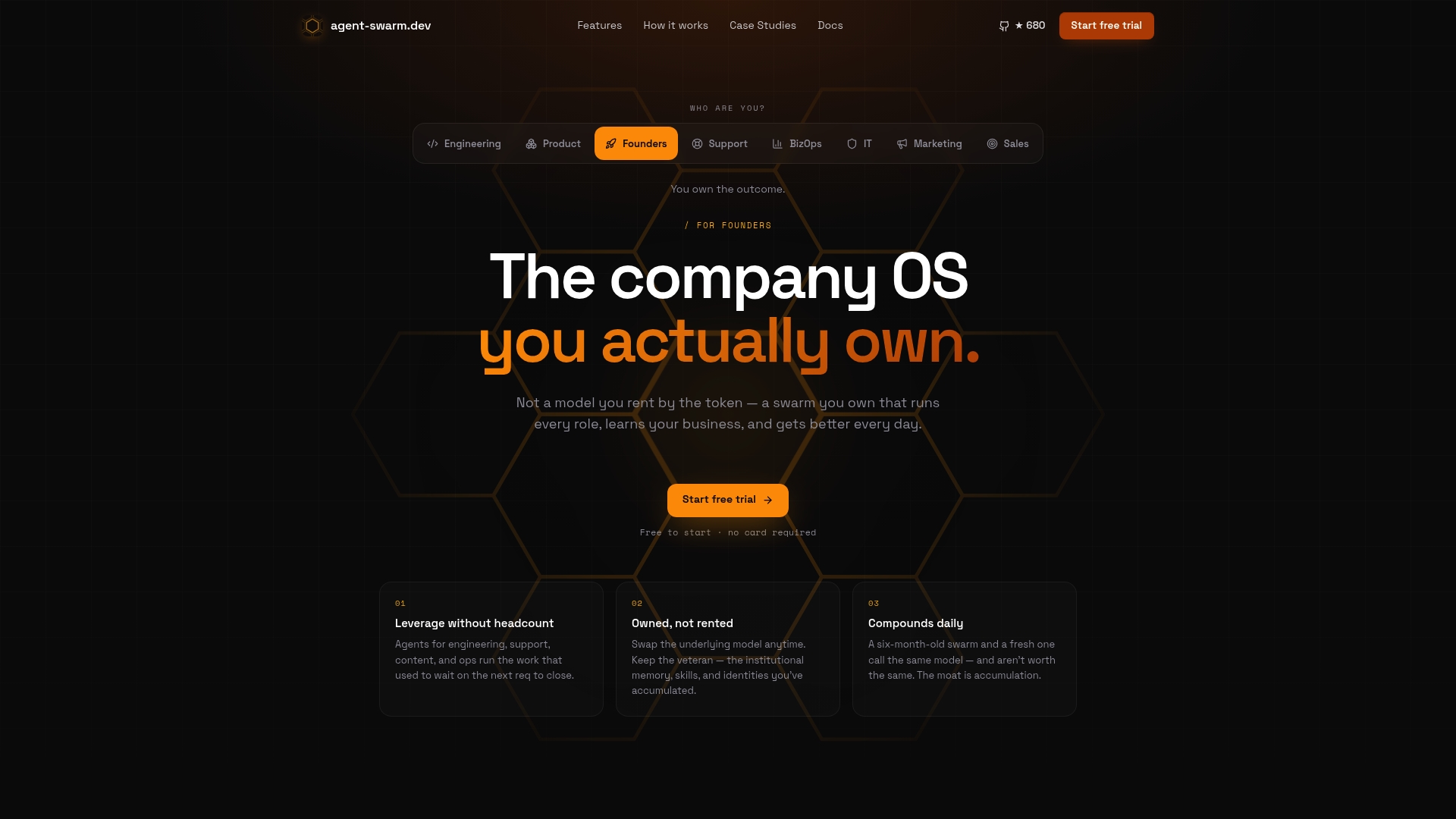
That distinction matters most for engineering teams tired of rebuilding context every time a workflow runs, and for teams that specifically want data and infrastructure ownership rather than another per-task bill. The self-hosted, open-source core costs nothing to run beyond your own infrastructure, while Cloud plans run with a moderate monthly fee per active worker for teams that want managed hosting. Compare it directly against a rented alternative on the Agent-swarm, or start by browsing real session examples to see multi-agent delegation in action before you commit to a trial.
Sources
FAQ
Which Is Better, n8n or Make?
n8n tends to win on cost predictability and control because it supports self-hosting and bills by whole-workflow execution rather than per-operation credits. Make can still be the simpler choice for teams that want a fully managed builder and don't mind the credit-based pricing, but at higher volumes n8n's model usually comes out ahead.
What Exactly Is Make?
Make (formerly Integromat) is a visual, node-based automation platform that connects apps through scenarios built from triggers and actions, billed largely on a per-operation credit model. It's designed for nontechnical users who want to automate multi-app processes without writing code.
What's a Good Alternative to Make.com?
The right alternative depends on why you're switching. agent-swarm.dev suits teams that need owned, multi-agent automation with persistent memory; n8n suits teams that want self-hosting and predictable execution-based billing; and Zapier remains the pick for the broadest connector coverage with the easiest setup.
What Is a Modern Alternative to a Makefile?
This is a different category entirely: build automation for software projects, not workflow automation for business processes. Modern build tools like Just, Task, or npm scripts often replace traditional Makefiles for simpler syntax and better cross-platform support, but that's unrelated to Make.com-style workflow platforms.
Is agent-swarm.dev a Direct Replacement for Make?
It's a direct option for teams whose core need is agentic automation with persistent memory across runs, rather than simple trigger-action chains. Pricing runs from a free self-hosted core to Cloud plans between $30 and $100 per month, per active worker, listed on the Agent-swarm.
Recommended
Related field notes
Engineering & AI Teams: Zapier Alternatives With Persistent Memory
Compare Zapier alternatives for engineering and AI teams. See why agent-swarm.dev's agent orchestration and persistent shared memory fit recurring,...
El standup diario con IA: cómo automatizarlo sin perder el control
Automatiza el standup diario con IA: extrae GitHub, Jira y calendario, redacta la actualización y la deja lista para envío tras revisión humana.
6 Approval Workflow Features That Prove agent-swarm.dev Fits Engineers
Why agent-swarm.dev suits engineering teams: AI enabled orchestration, persistent workflow memory, and self-hosted or cloud deployment. Learn how to...